Your cart is currently empty!

Sale!




Advanced Risk Reward
Original price was: $120.00.$50.00Current price is: $50.00.
Description
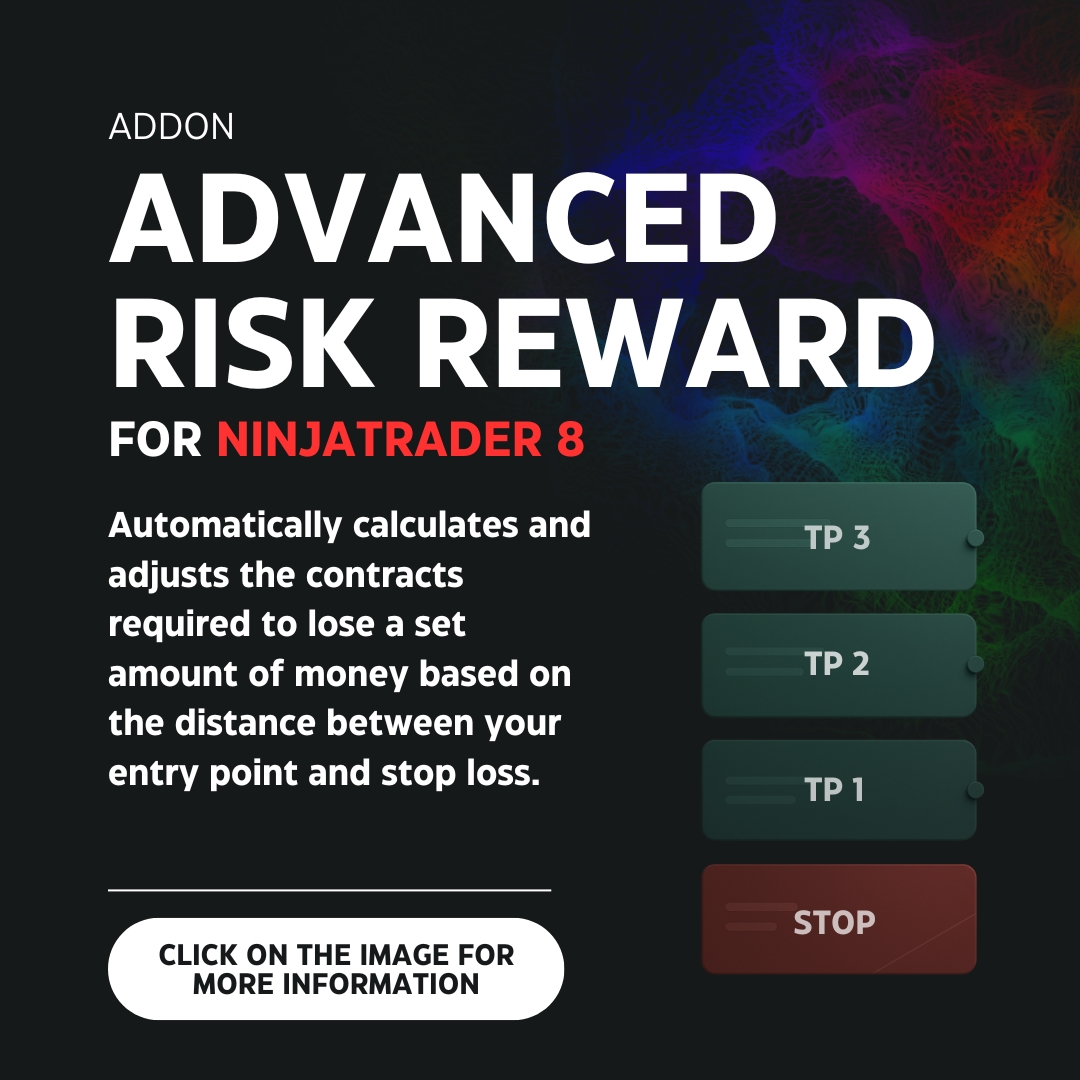
Advanced Risk Reward for NinjaTrader 8
1️⃣ What does it do and what is it for?
If you would like to always risk the same amount of money on each trade and also have your ATM automatically align with the position of the levels of your risk/reward tool, then Advanced Risk Reward is for you.
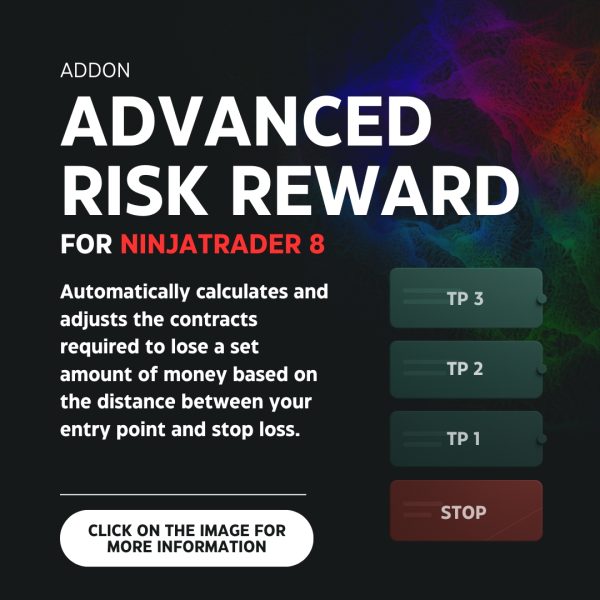
With this tool you can define exactly how much money to risk per trade and it will automatically calculate how many contracts you must enter according to the distance between your stop loss and your entry point. In addition, it adjusts the target and stop orders (TPs/SLs) to the tool’s levels, regardless of the original configuration of your ATM strategy. On the other hand, it has three modes of use: SIMPLE, PLUS and PRO. We will talk about each one below.
2️⃣ The three operating modes (SIMPLE, PLUS and PRO)
- SIMPLE Mode: If you want to use the tool as a simple risk/reward with several levels of targets and stops. Ideal for backtesting or simple use.
- PLUS Mode: In addition to what is included in the simple mode, when you use plus mode the tool calculates the number of contracts needed to risk a defined amount of money. In addition, it synchronizes your ATM strategy by adjusting the target and stop orders to the tool’s levels. If you wish, it also adjusts them automatically when you move the drawing tool on the chart during a trade.
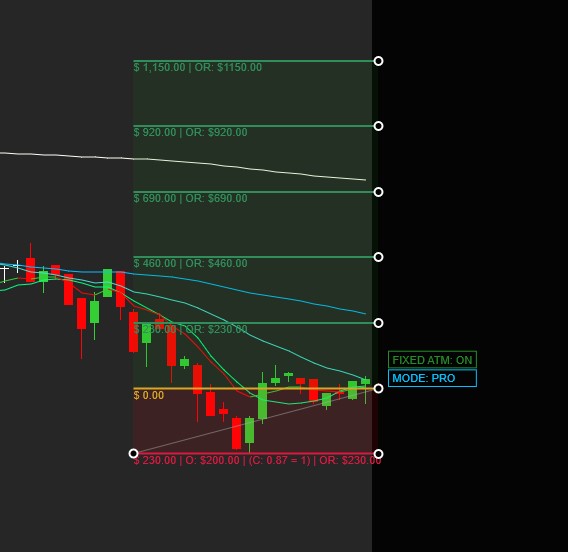
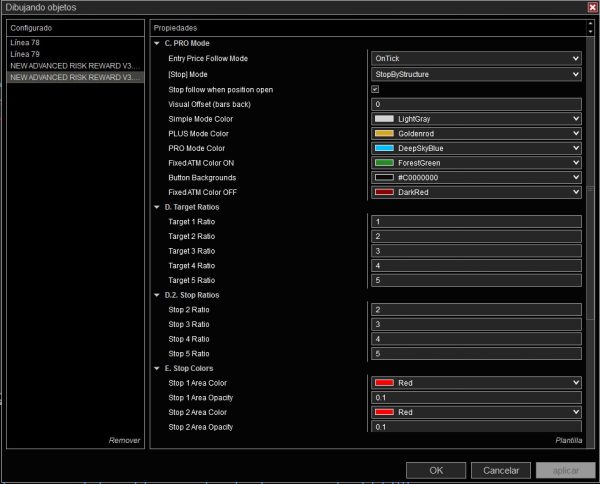
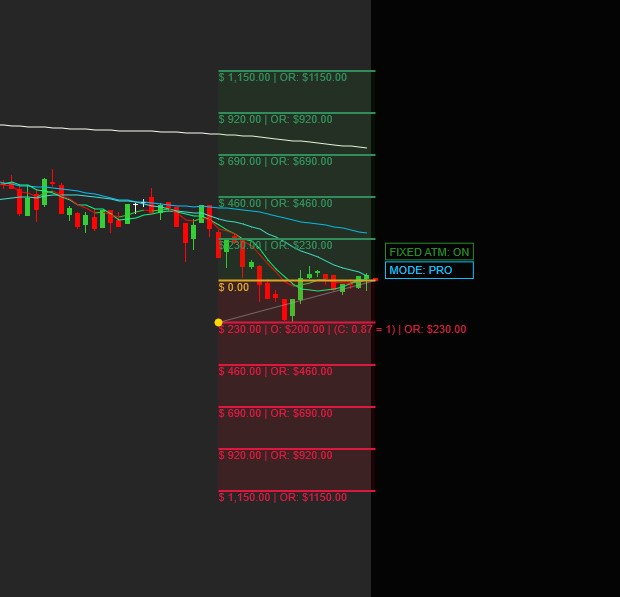
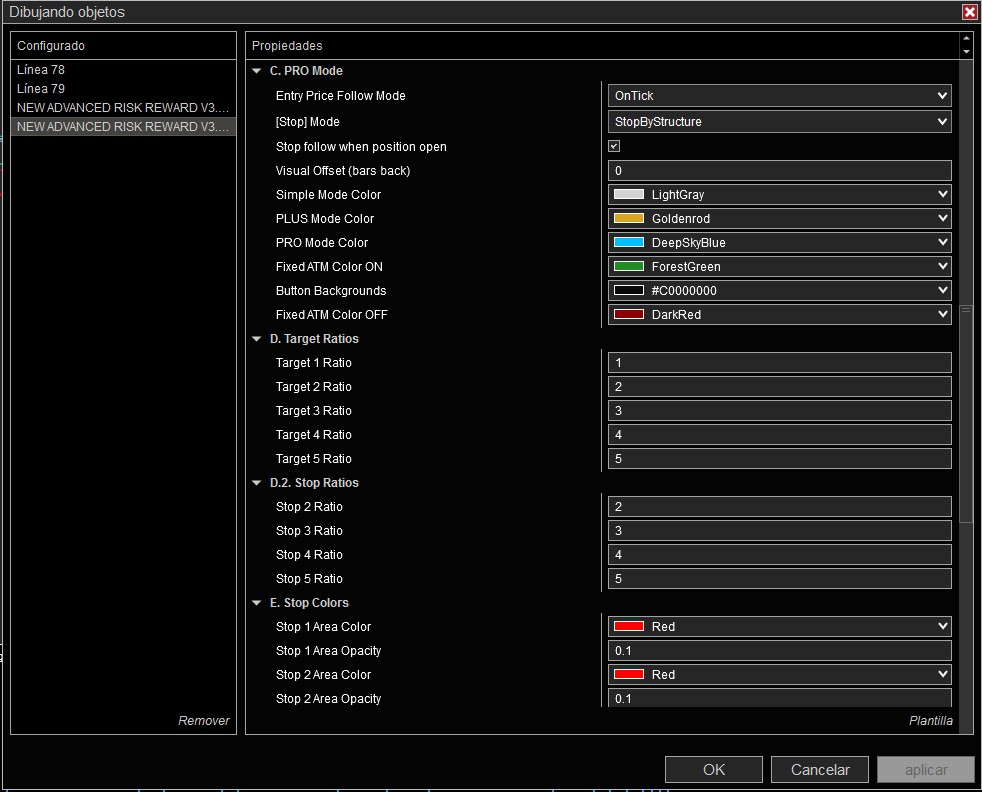
- PRO Mode: It includes everything from simple mode and plus mode, but adds “price tracking”. Price tracking automatically adjusts the entry point with each movement of the current market price. You can choose for the entry point to adjust on each tick change OnTick (on each tick) or on each bar close OnBarClose (when the current bar closes). In addition, while the entry point moves automatically, you can define whether you want your stop loss to remain static by structure or, on the contrary, to remain at a fixed distance with respect to the entry point. By default, price tracking stops when there is an open position (an option you can remove if you wish).
3️⃣ List of included features
✅ Automatic contract calculation in real time:
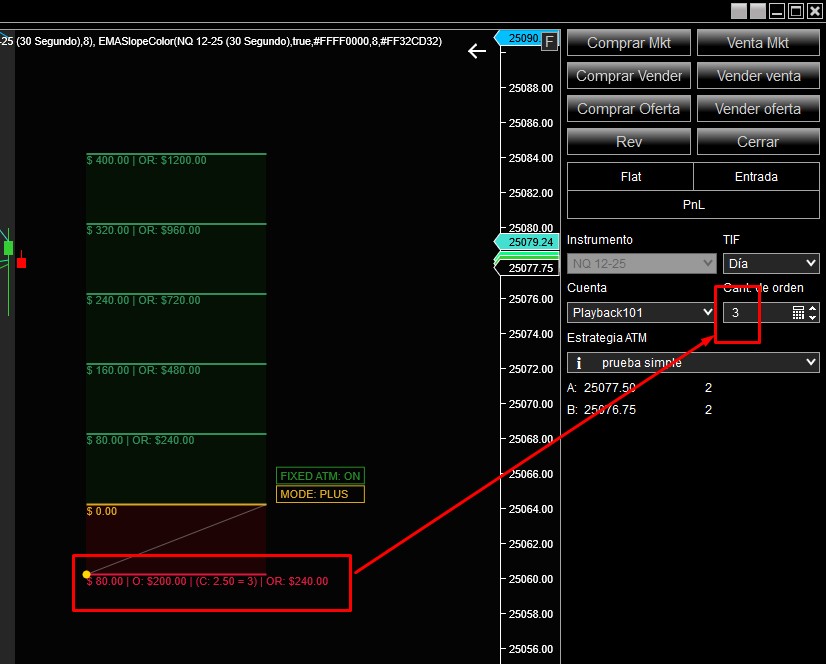
While you adjust your stop loss, the tool recalculates and updates the exact number of contracts to always lose the amount of money set by the user (regardless of the distance between the stop loss and the entry point). The tool also automatically updates the number of contracts in the Chart Trader of NinjaTrader so that you do not have to do it manually.
✅ Different ways to define your risk
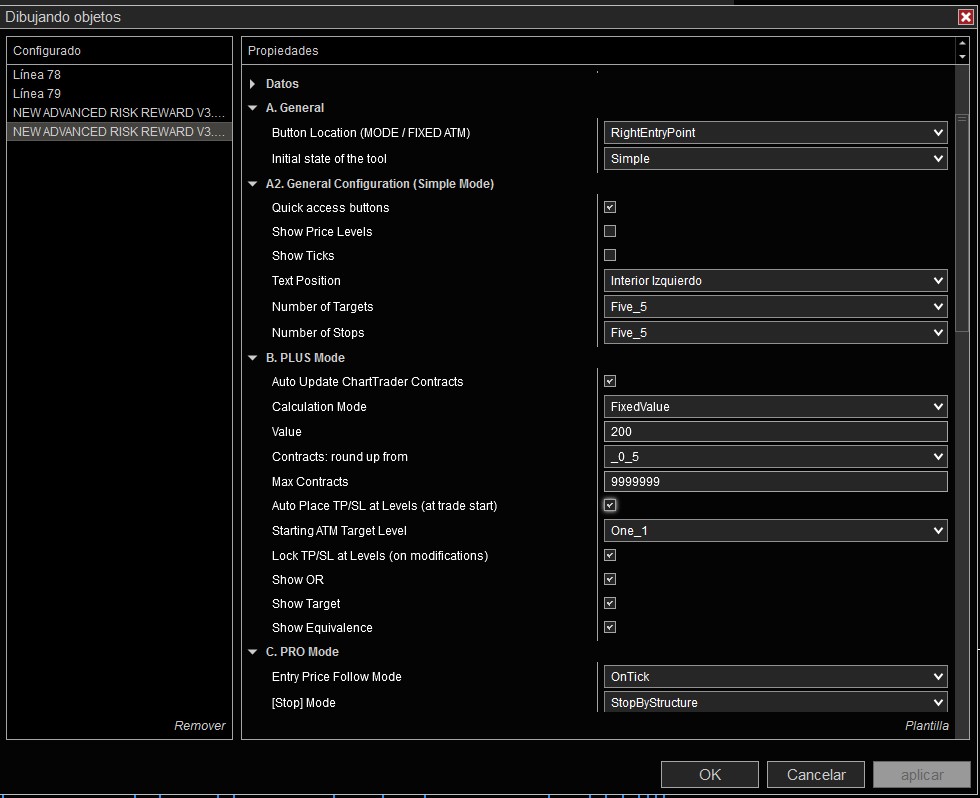
- Fixed Value (Fixed Value): Indicate an exact amount of money to risk per trade (for example, $200).
- Percentage of the account (Percentage of Account): Define the money to risk per trade as a percentage of the current account balance. You can choose between 1 and 100 (e.g., 1% of $100,000 = $1,000).
✅ Advanced synchronization with your ATM strategy (Targets and Stops):
- Place your targets and stops at the tool’s levels (at the start of the trade): When opening a trade, the tool places the targets and stops of your ATM strategy exactly at the tool’s levels.
- Initial level of the Targets: Choose at which tool level the first take profit begins (by default, level 1).
- Fix TP/SL at levels (on modifications): If you move the tool during the trade, the ATM’s TPs/SLs follow these changes. That is, they auto-adjust to the changes the user may make to the tool during the live trade. If you do not want it to adjust automatically, you can also remove the auto-adjustment through the quick access buttons.
✅ OR (Real Objective), “Show objective” and “Show equivalence”:
- “OR”: Sometimes the market does not allow you to risk exactly the desired figure with precision. OR shows the real value of what is being risked.
- “Show objective”: Allows you to visually see the target amount that the user wants to risk.
- “Show equivalence” displays how many contracts the tool calculates must be entered to risk the amount of money requested by the user.
✅ Contract limit:
The tool also lets you set a maximum number of contracts (very useful with funding rules). In this way, if the tool calculates that you need to enter X contracts to lose the requested amount and this quantity exceeds your maximum number of contracts, then that established maximum amount will be placed without exceeding it.
✅ Quick access buttons
This is the button through which you can switch to the different operating modes (simple, plus or pro). You can show/hide them. If you hide them, it will be less practical to change mode (SIMPLE/PLUS/PRO) from the chart.
✅ Live movement of target levels:
Once the tool is placed within your chart, you can select its target levels and drag them to new price levels directly from the chart.
✅ Multiple take profit and stop ratios:
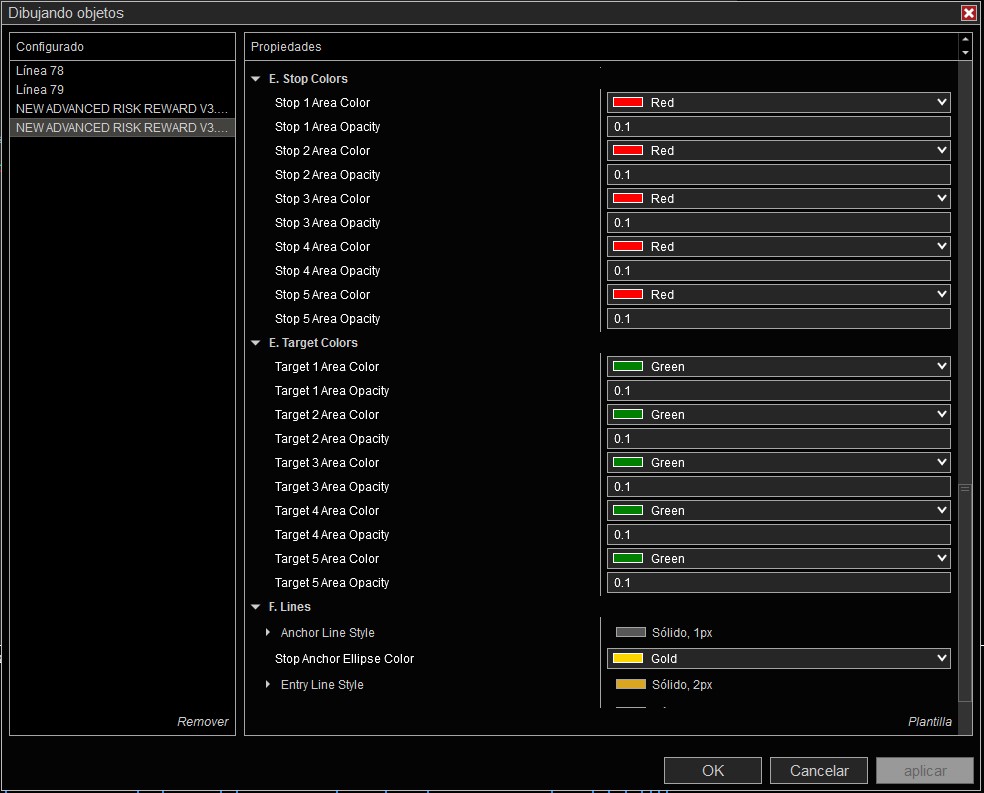
Configure how many target levels and how many stop levels you want to display in the tool. The tool will allow you to have up to 5 target levels and 5 stop loss levels. Each one at a different ratio of the user’s choice.
✅ Complete visual customization:
Change colors, styles and opacities of the entire tool, including the quick access buttons, to integrate it into your chart.
4️⃣ Why choose Advanced Risk Reward?
- Total automation: Contract calculation, ATM synchronization of TP/SL and price tracking (PRO) to trade with precision and without friction.
- Complete risk control: Define fixed value or % of account, limit contracts and use OR to know the real objective.
- Adaptability: Three modes (SIMPLE/PLUS/PRO), ratios with decimals, visibility options (ticks, price, text), and live control.
- Flexibility: Ideal for backtesting and real operation. Customize colors/buttons and save templates to speed up your workflow.
With Advanced Risk Reward, you can forget about complicated calculations and focus on what really matters: your trading decisions. Simplify your operation and take your risk management to the next level!
Productos relacionados
-
Backtester Manual Pro [Improve your odds]
Original price was: $250.00.$89.95Current price is: $89.95. -
Custom product installation
Original price was: $80.00.$40.00Current price is: $40.00.