
Emotional Manager for NinjaTrader 8
Are you tired of your emotions affecting your trades and the lifespan of your trading accounts?
Emotional Manager for NinjaTrader 8
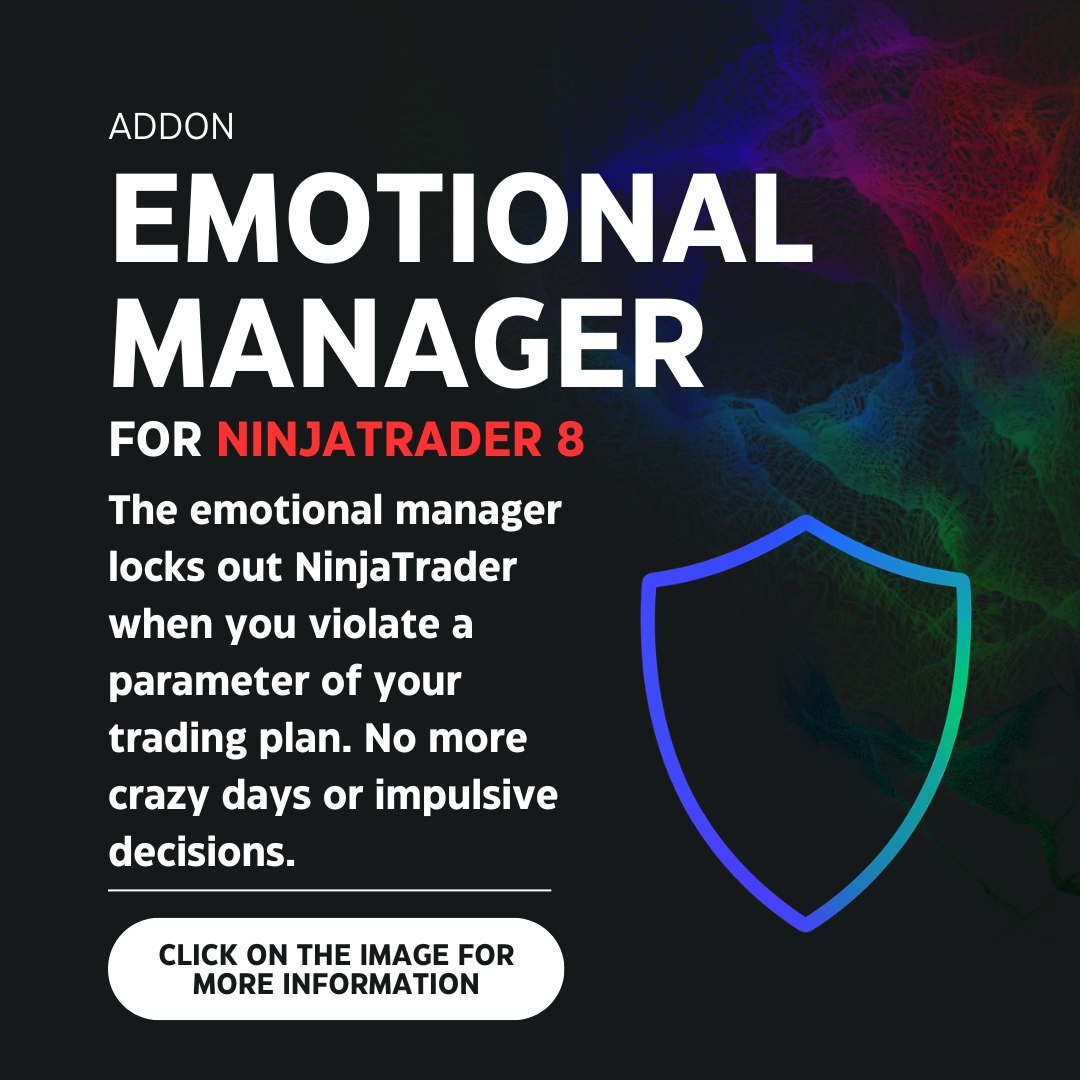
The Emotional Manager for NinjaTrader 8 is your perfect ally for following your trading plan and avoiding unnecessary losses. This tool blocks your ability to trade in NinjaTrader 8 when you break any rule established in your trading plan.
- Furthermore, it is NOT like other emotional management tools that allow you to change the configuration of the established rules while they have not yet been broken. This makes those management tools useless, since traders who are close to breaking their rules can change their parameters or even turn off their management tool to continue trading. This will NOT happen with BRUNO MEZA’s Emotional Manager! because the templates and their configuration CANNOT be modified during operating hours and, depending on the user’s choice, they may not even be modifiable outside operating hours (more information about this if you continue reading).
- On the other hand, the Emotional Manager is practically IMPOSSIBLE TO UNINSTALL when you have protection activated. We work with advanced methods that prevent users from removing the Emotional Manager from the platform while its protection IS ACTIVE. Even if they remove the Emotional Manager directly from the files, uninstall and reinstall the platform, among other actions, the Emotional Manager will remain installed and continue protecting your accounts.
- All funding companies and brokers are compatible (as long as they can be connected to NinjaTrader).
- It allows unlimited accounts, and you can set different parameters for each one.
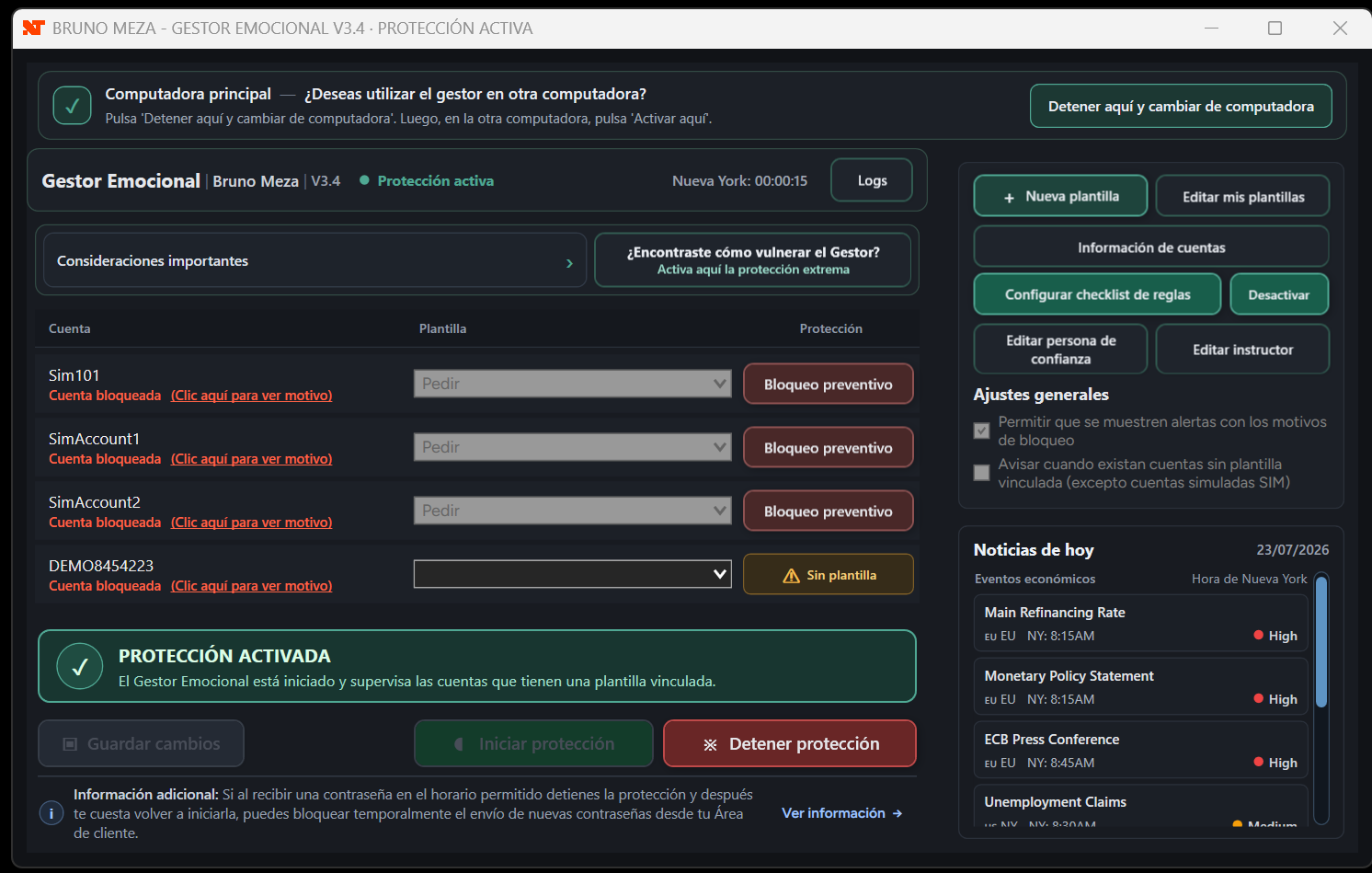
- Protection continues running in the background even if you close the Emotional Manager window. As long as protection remains active, your accounts will continue to be monitored without the need to keep the window open.
- All schedules and daily resets are calculated using New York time, preventing operation from depending on your computer’s local time zone.
1️⃣ Easy to use and 100% customizable
- Create a template with the parameters of your trading plan.
- Link that template to your funding company or broker account.
- Turn on protection.
- That’s it! You will be protected.
You can create several templates and link each one to different accounts. There is no account limit, and it is compatible with all funding companies or brokers that can be connected to NinjaTrader. The parameters currently available for configuring templates are:
Markets and schedule
- Available Instruments
- Operating Hours
- News
Risk limits
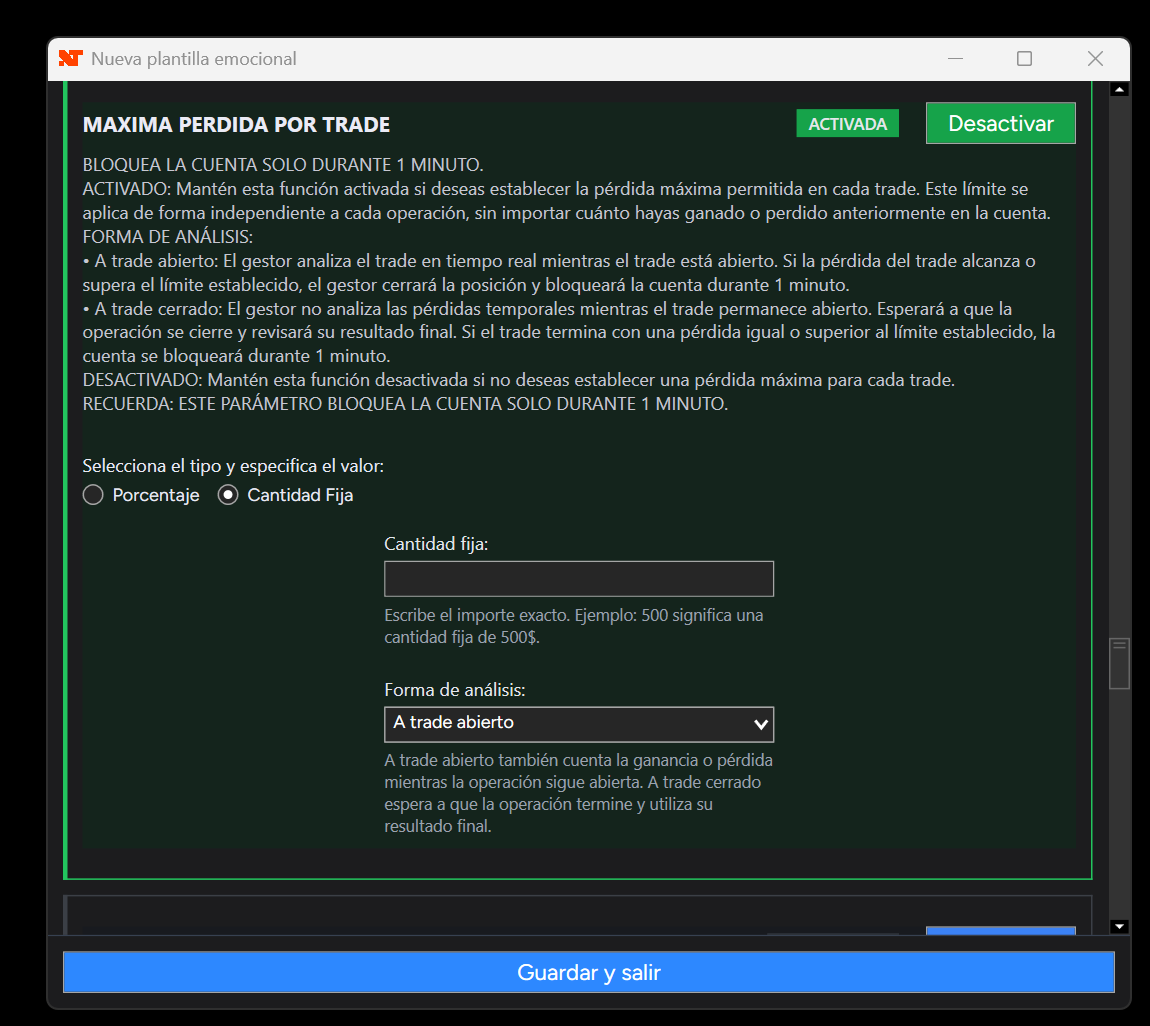
- Maximum Loss per Trade
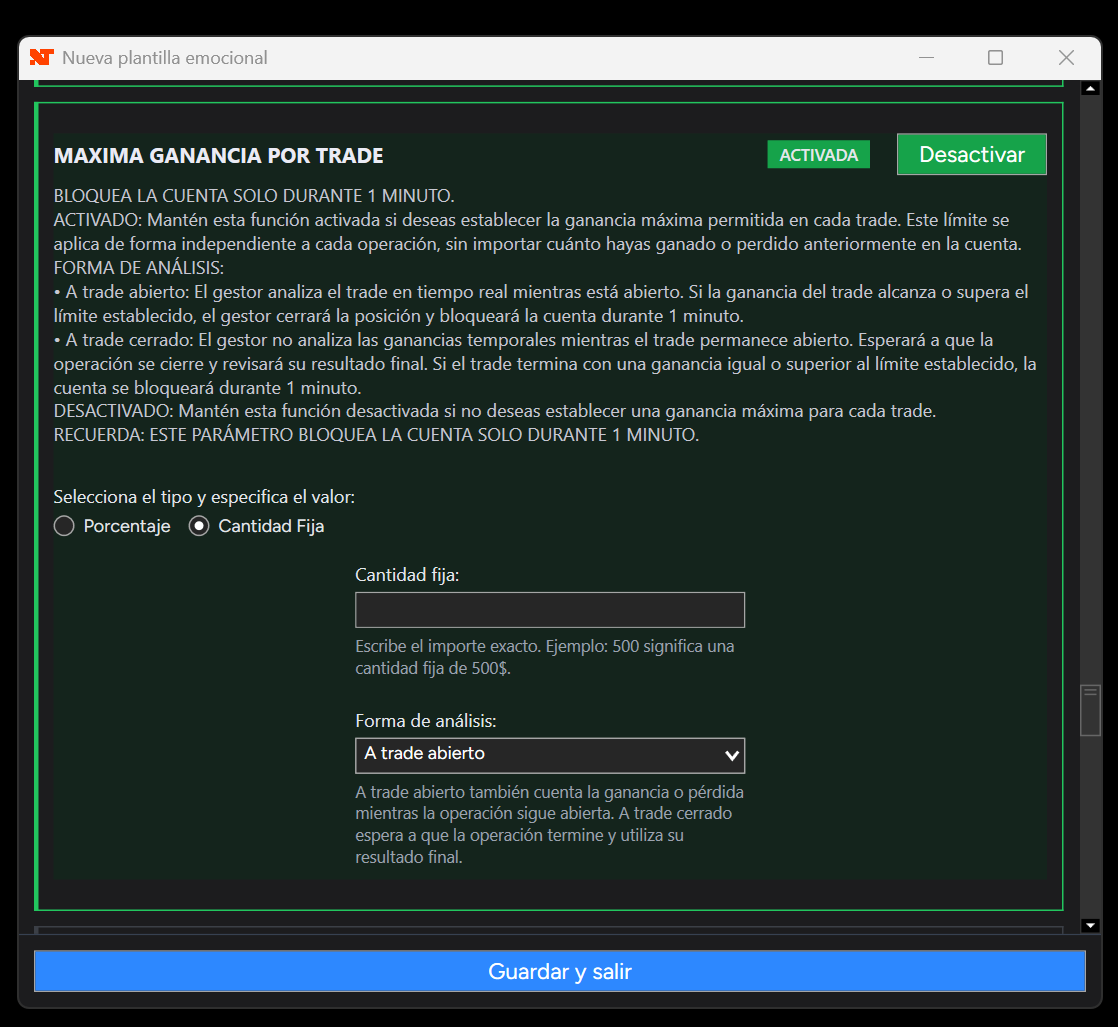
- Maximum Profit per Trade
- Maximum Daily Loss
- Dynamic Maximum Daily Loss
- Maximum Daily Profit
- Maximum Weekly Loss
- Maximum Weekly Profit
Activity and contracts
- Total Trade Limit
- Maximum Number of Contracts per Trade
- Losing Trade Limit
- Winning Trade Limit
Waiting periods
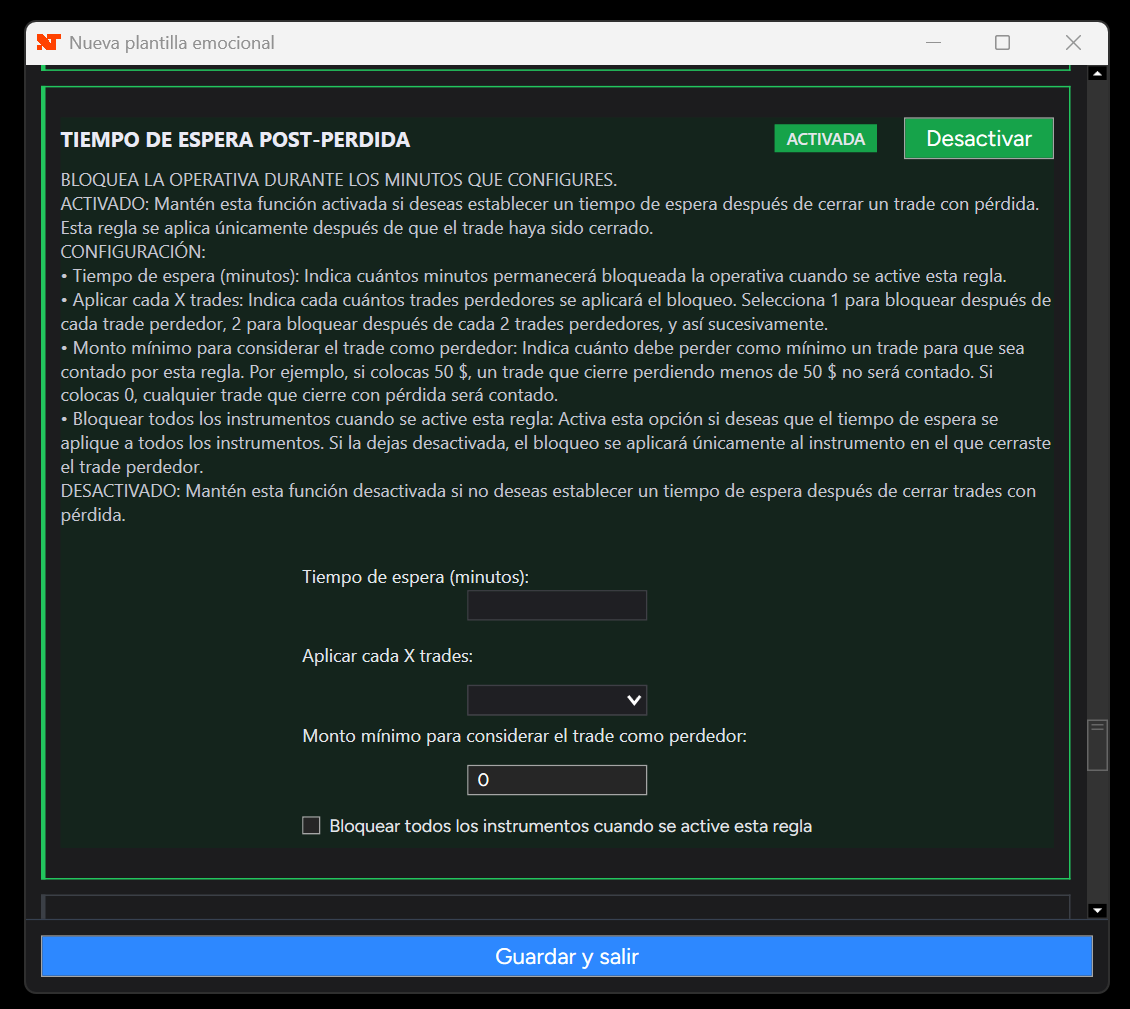
- Post-Loss Wait Time
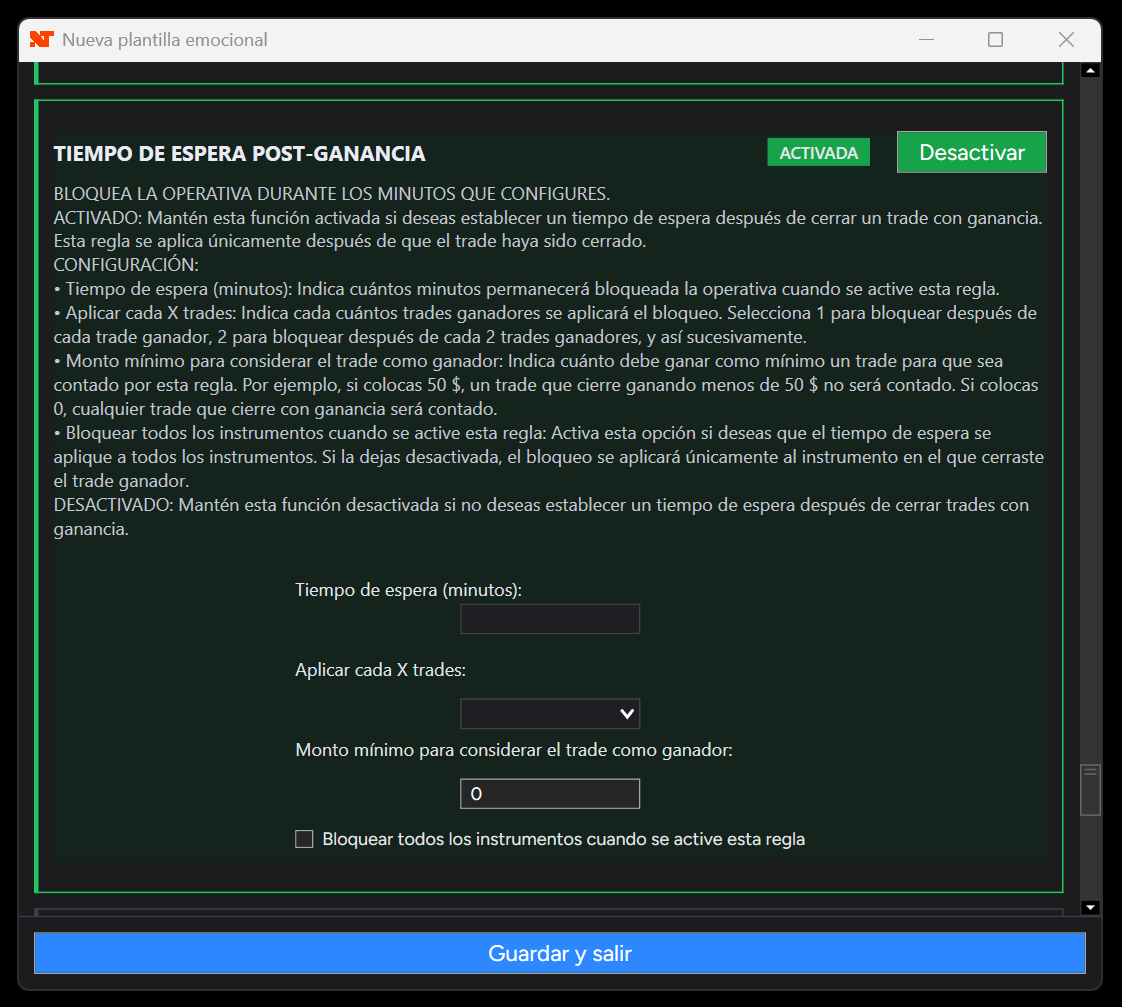
- Post-Win Wait Time
Execution discipline
- Rules checklist before each trade
- Target and Stop order movement lock
- Preventive manual lock
More complete parameters adaptable to the way you trade
The current version of the Emotional Manager includes additional controls that allow you to adapt each template to your trading plan more precisely:
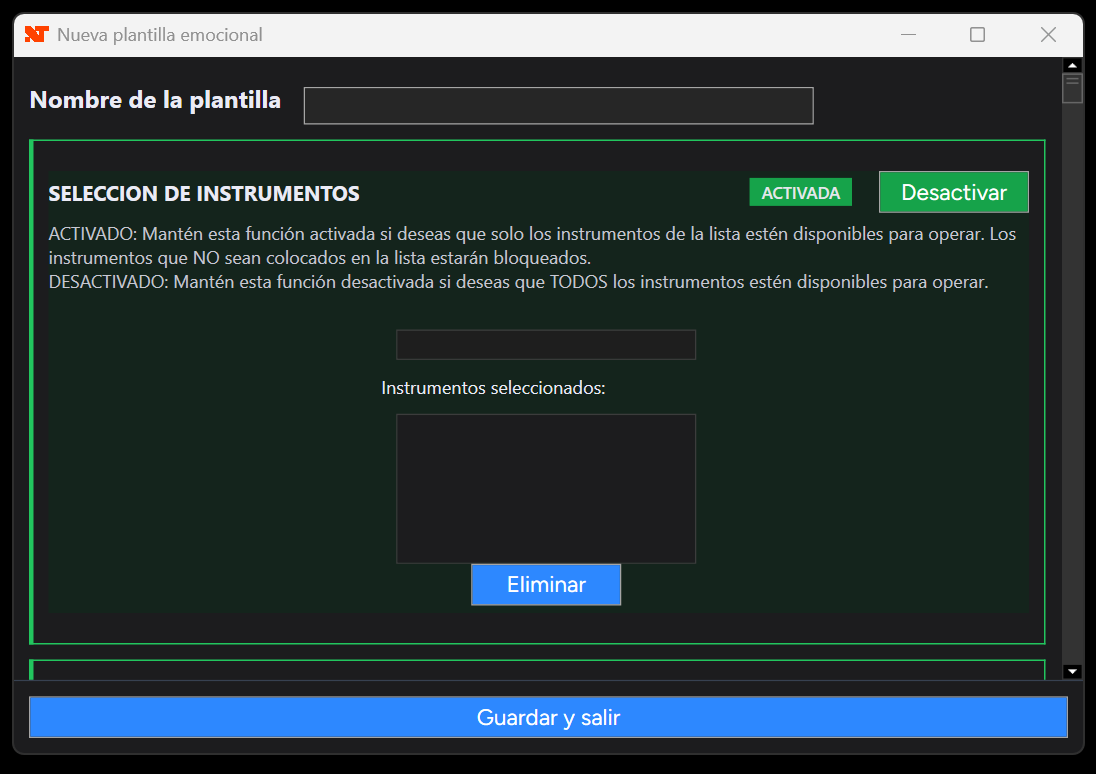
- Allowed instruments: You can restrict trading exclusively to the instruments that form part of your strategy and automatically block any other instrument. This helps prevent errors and trades in markets that you have not tested properly.
- Open-trade or closed-trade analysis: For daily, weekly and per-trade loss or profit limits, you can choose whether the Emotional Manager should also consider the temporary result of open positions or only the final result of trades that have already been closed.
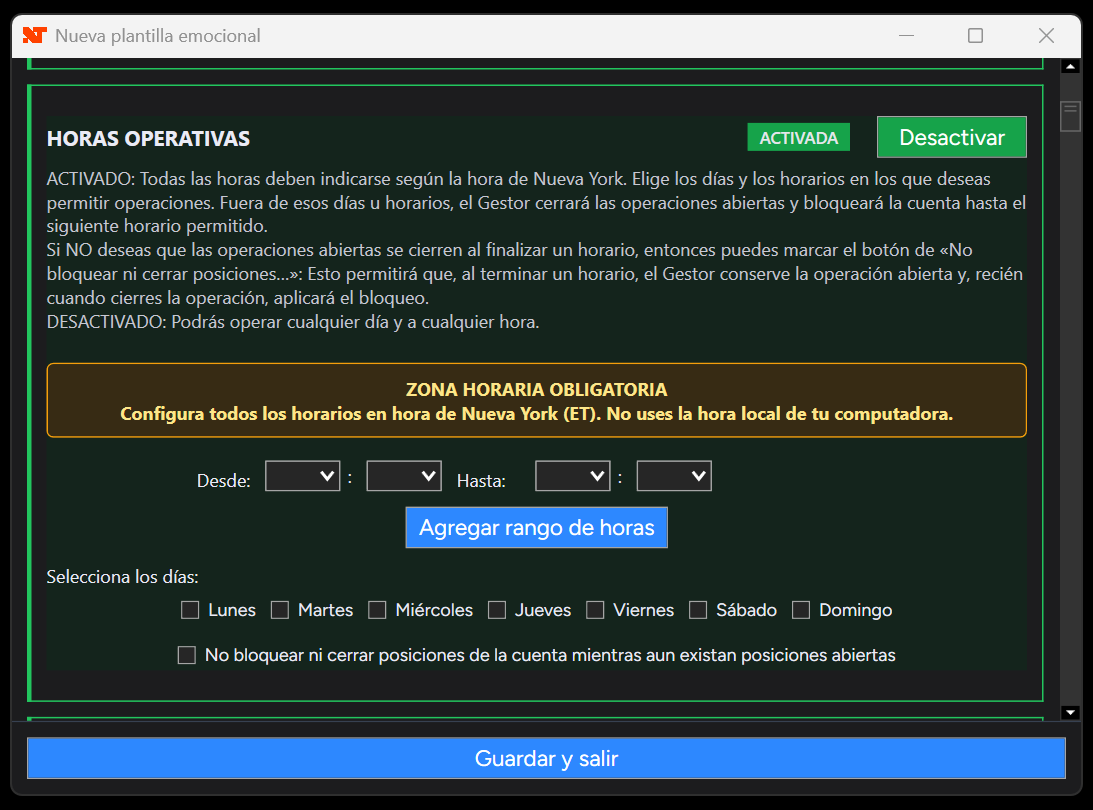
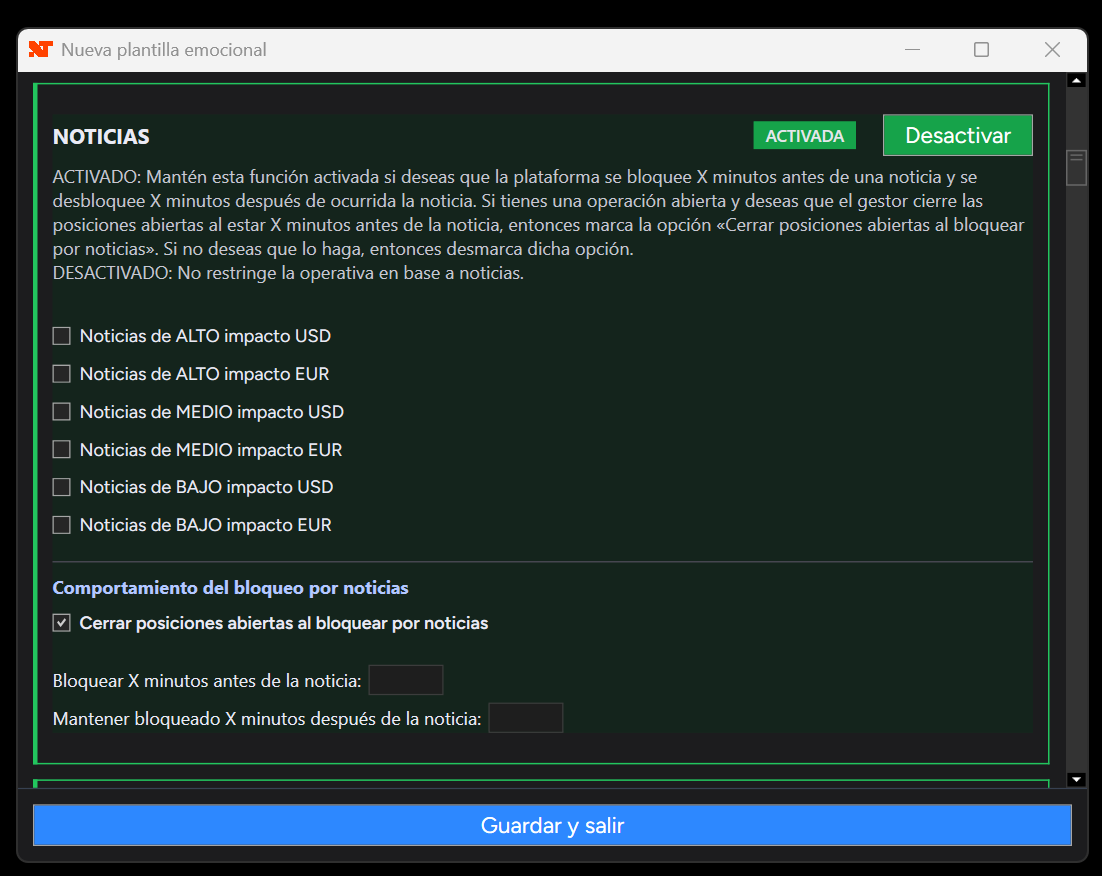
- Greater control over schedules and news: You can decide whether an open position should be closed when an allowed trading period ends or when a news restriction begins. You can also allow the position to remain open without losing the restriction on new trades.
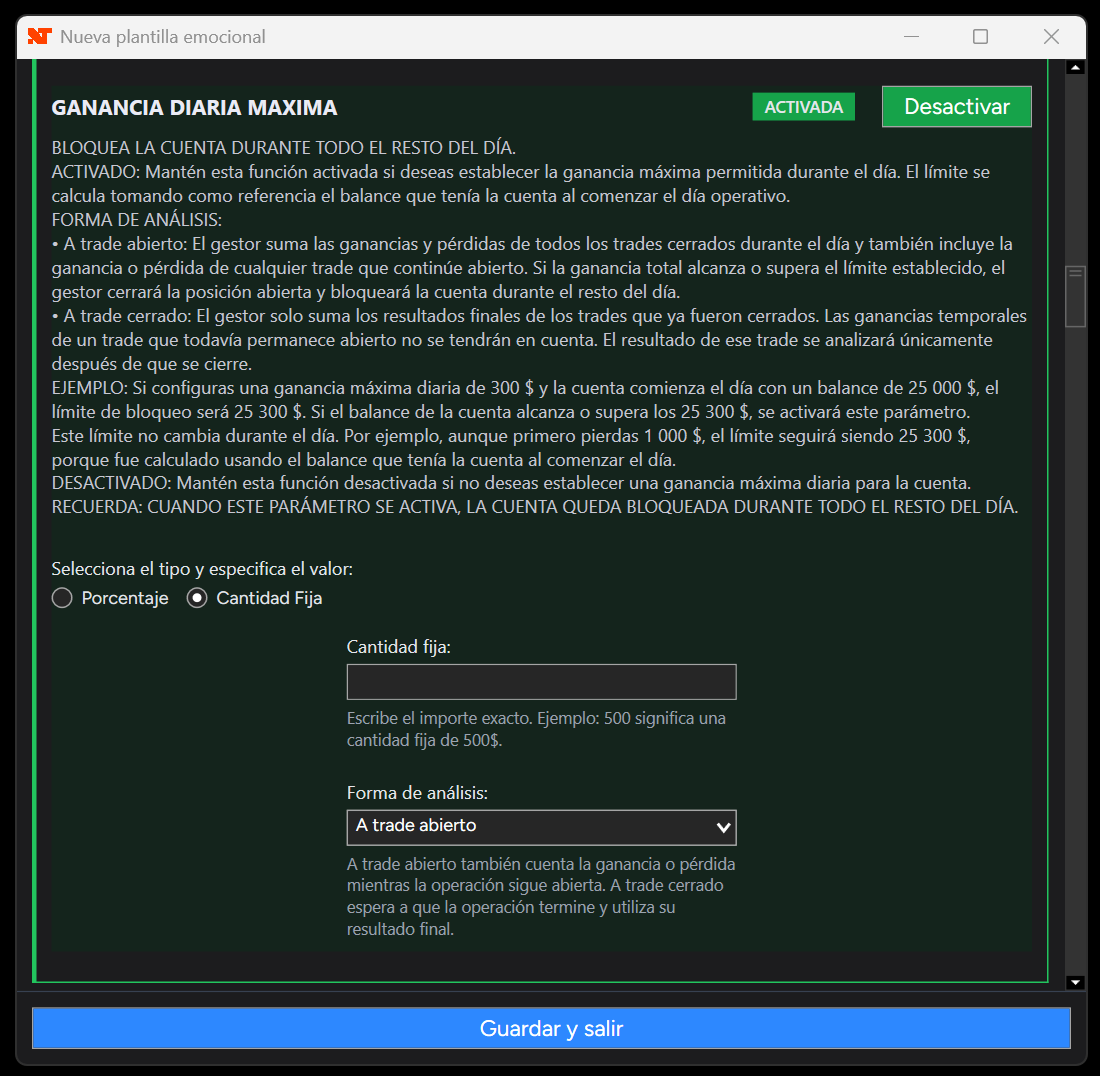
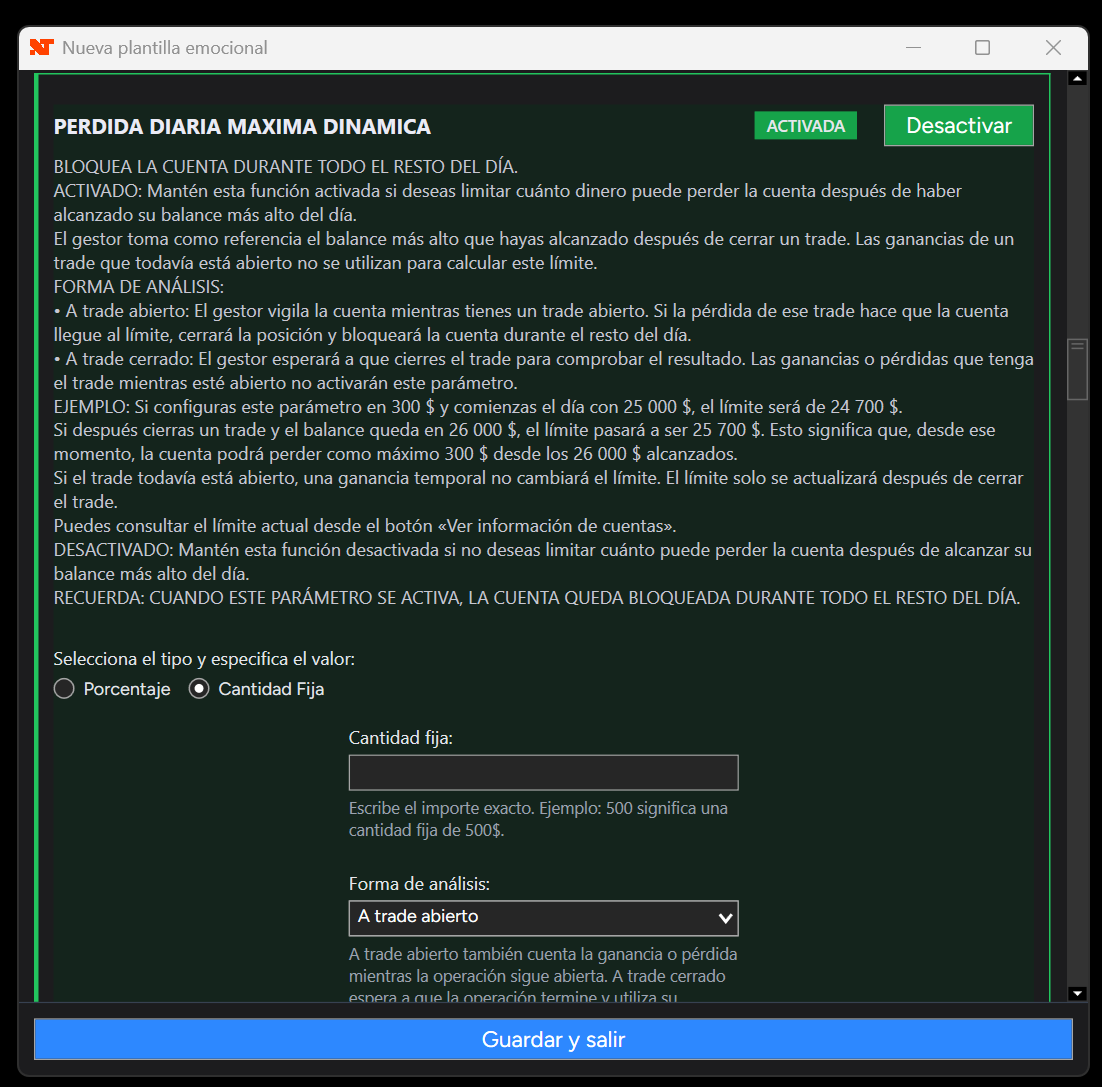
Emotional Manager for NinjaTrader 8 - Image 16 - Traditional and dynamic daily limits: The traditional maximum daily loss or profit uses the balance at the beginning of the day as its reference. Additionally, the dynamic maximum daily loss can use the highest closed balance reached during the day, causing the limit to rise after closing profitable trades and helping you protect the profits earned.
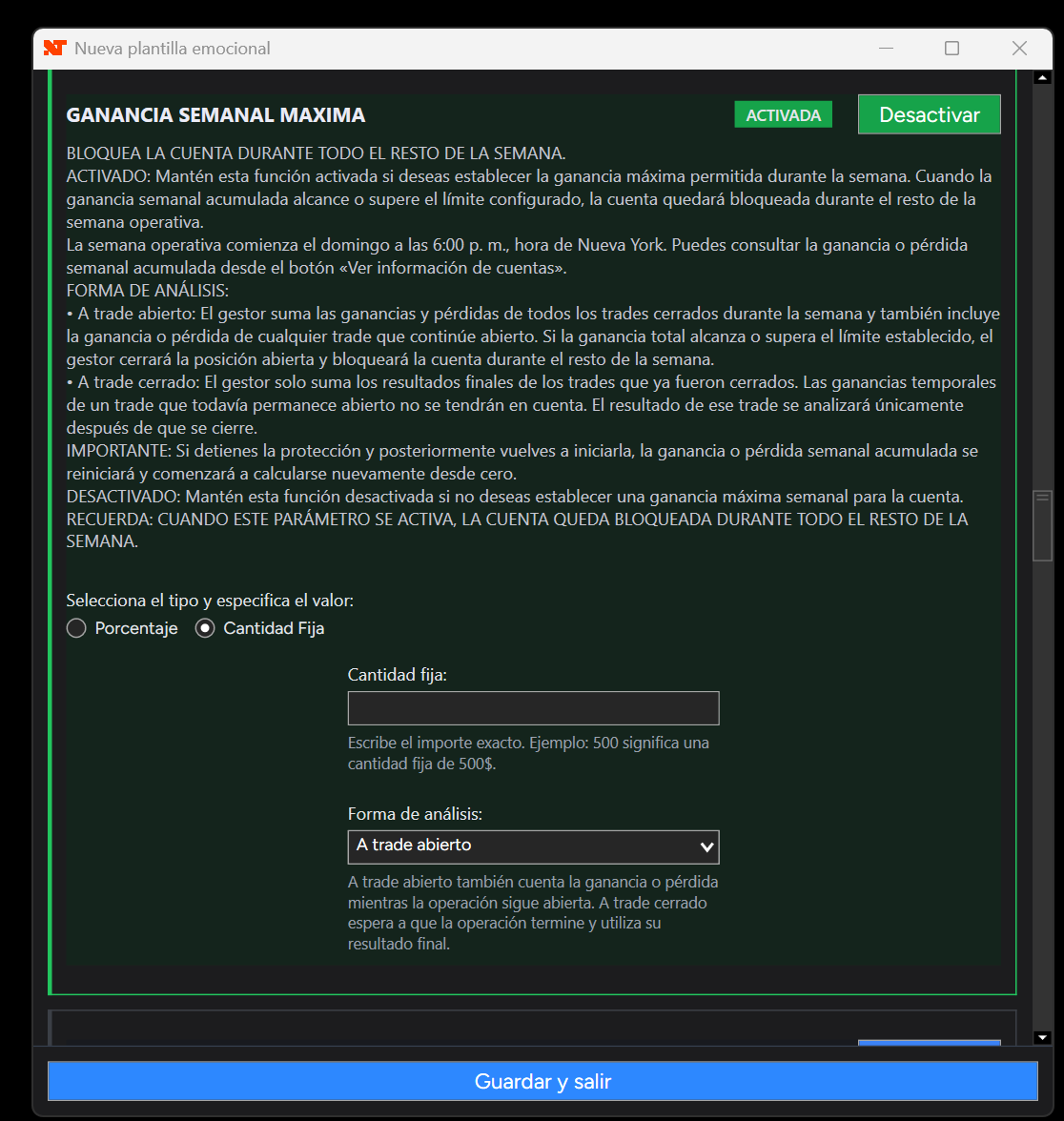
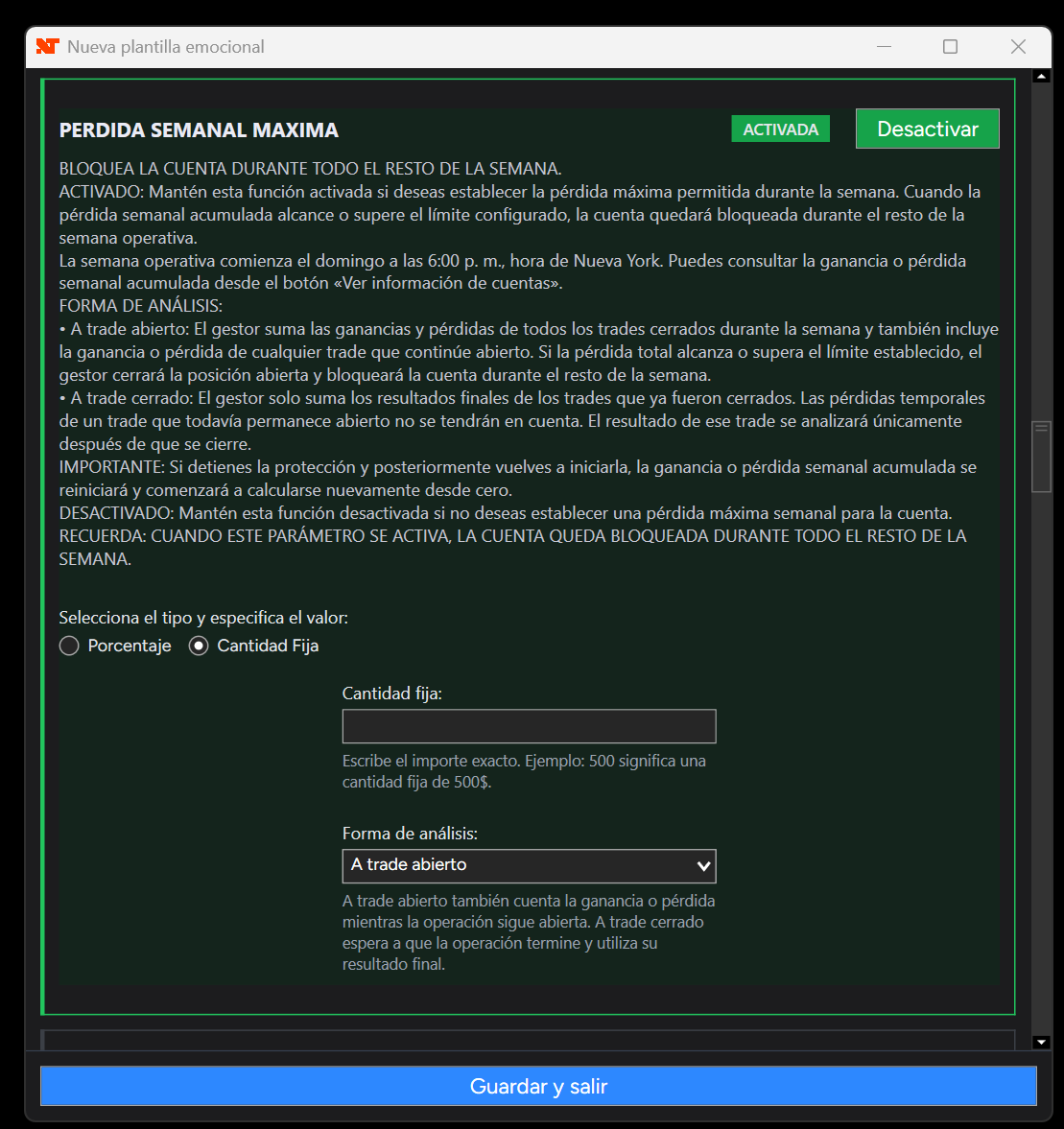
Emotional Manager for NinjaTrader 8 - Image 19 - Weekly limits: You can control the accumulated loss or profit for the entire trading week, which begins on Sunday at 6 PM New York time. The accumulated weekly result can also be viewed in each account’s information. If you stop protection and later start it again, the weekly calculation will restart from zero.
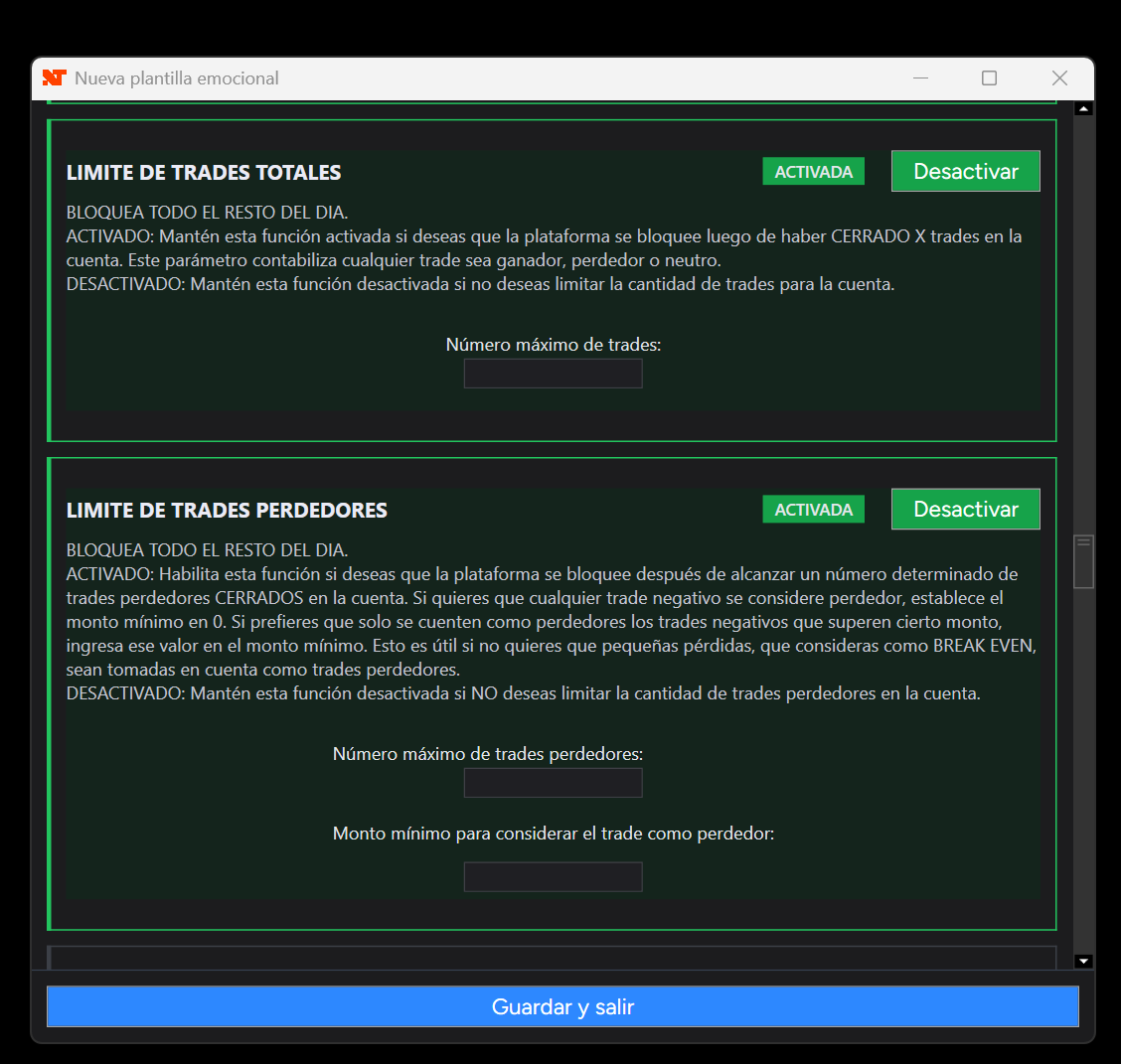
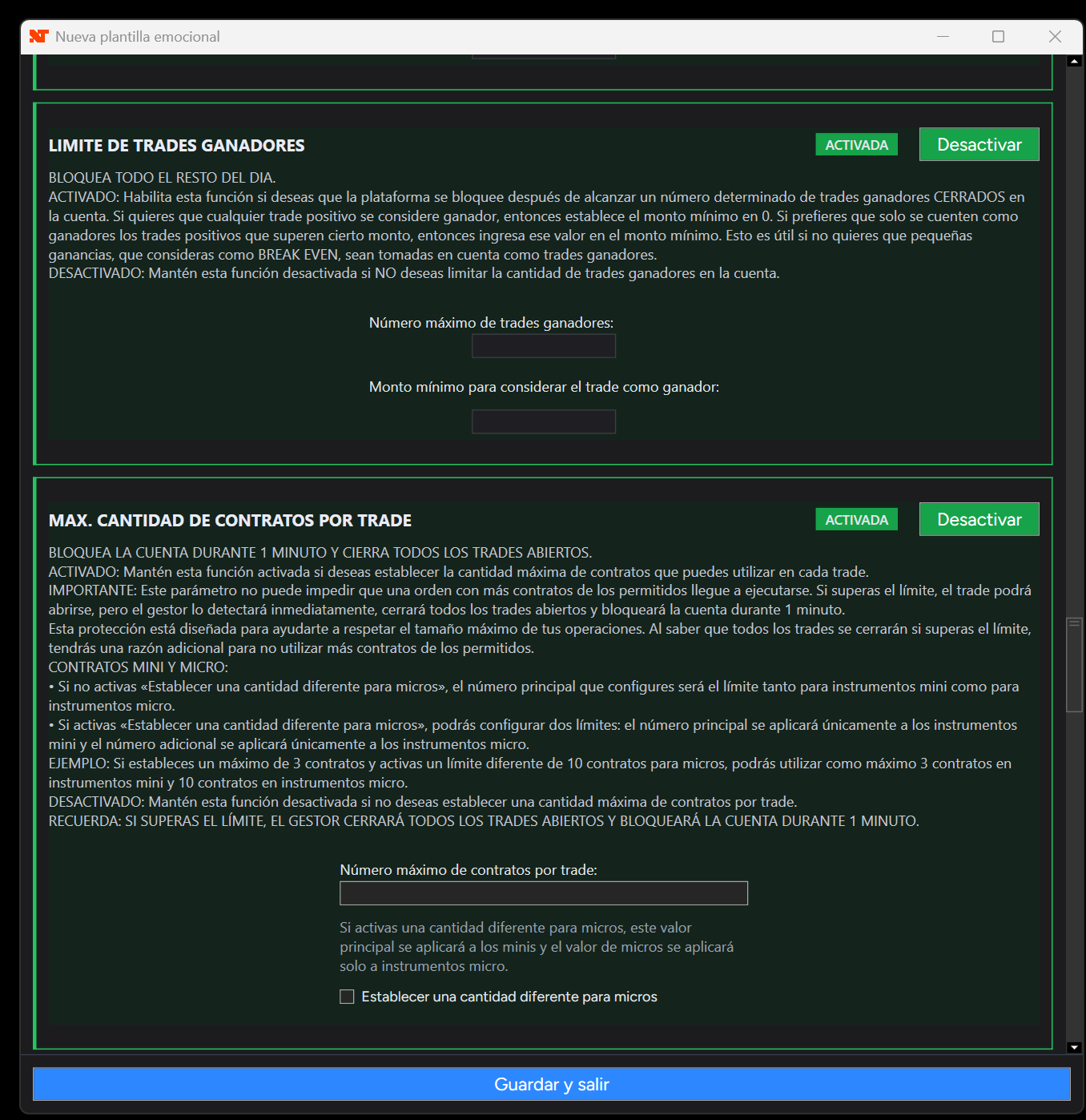
- Total, winning and losing trades: The total trade limit counts every closed trade, regardless of whether it was a winning, losing or breakeven trade. For the winning and losing trade limits, you can also establish a minimum amount and prevent trades that ended almost at breakeven from being considered a relevant result.
- Maximum loss and maximum profit per trade: These rules evaluate each trade independently, regardless of the accumulated result for the day. When the configured limit is reached, the account is locked for 1 minute.
- Greater control over contracts: The contract limit can use one quantity for mini instruments and a different quantity for micro instruments. If the limit is exceeded, the Emotional Manager will close all open trades in the account and lock it for 1 minute.
- More customizable wait times: You can define how many minutes the lock should last after a win or loss, how often it should be applied based on the number of trades, and whether the lock will affect only the traded instrument or all instruments.
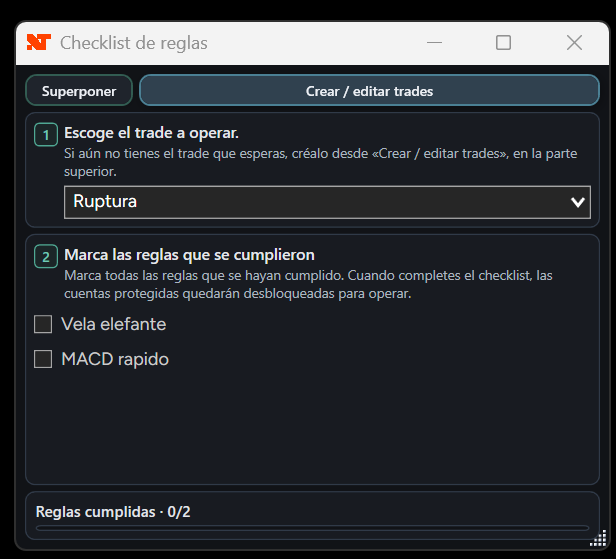
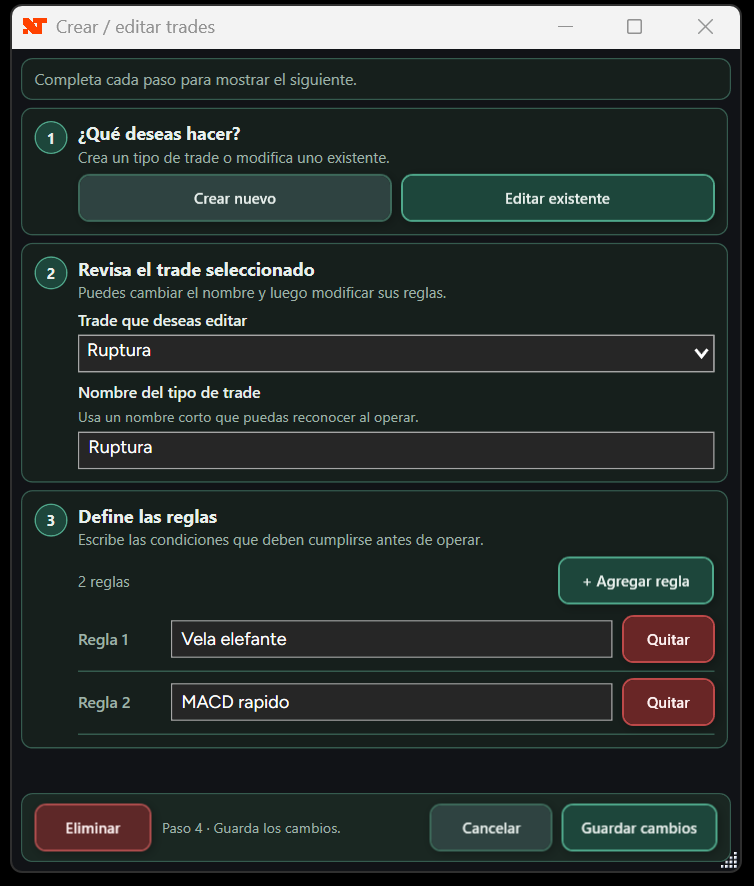
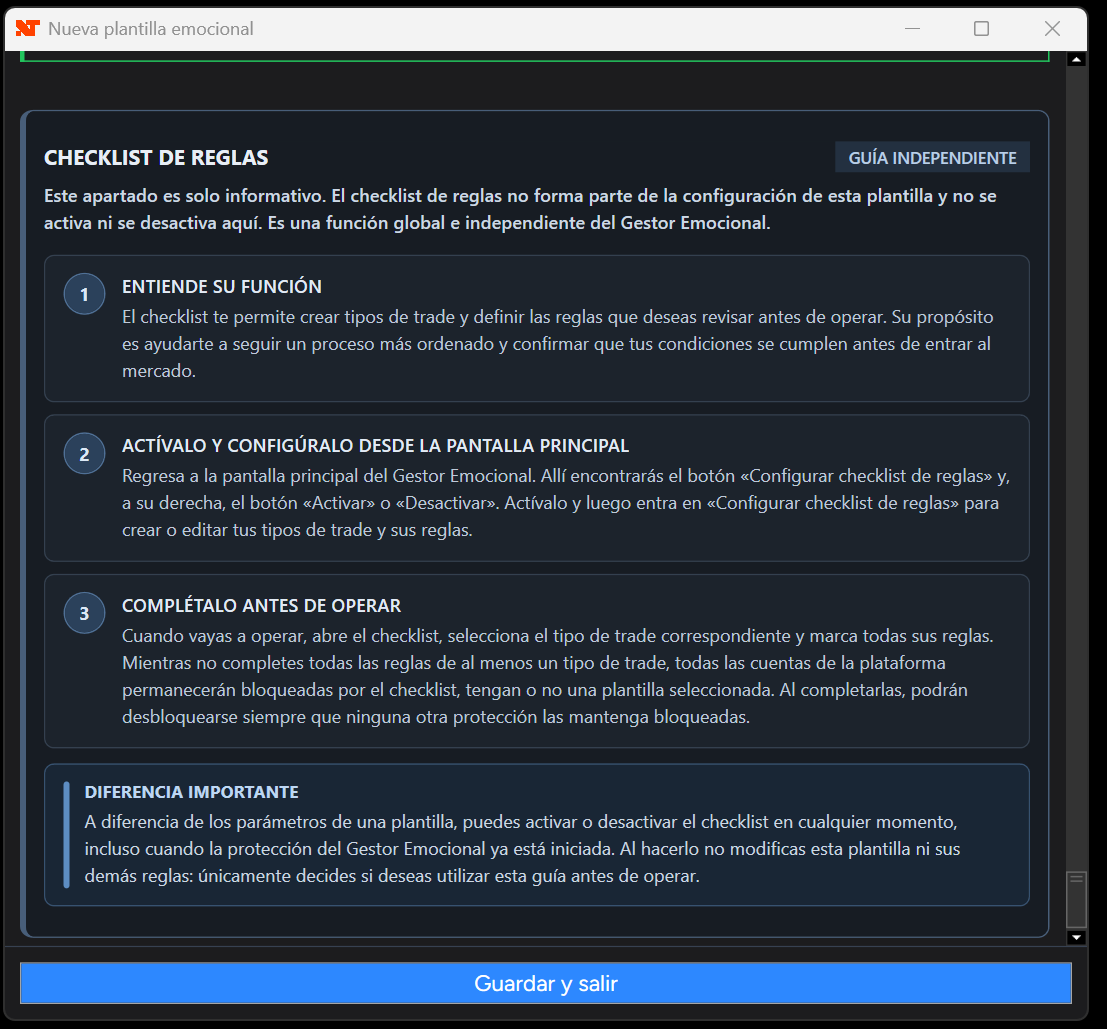
- Rules checklist: You can create different trade types and require that, before a new trade, compliance with all the rules of at least one of those types is confirmed. This reduces improvised entries and requires reviewing the plan before trading. After the trade ends, the checklist resets so that it must be completed again before the next trade.
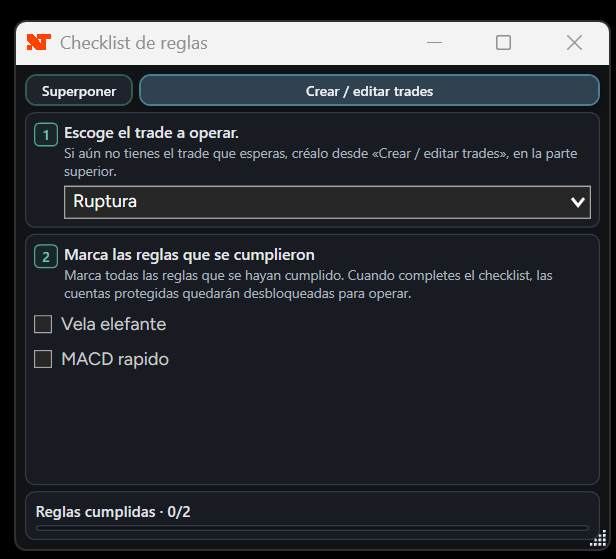
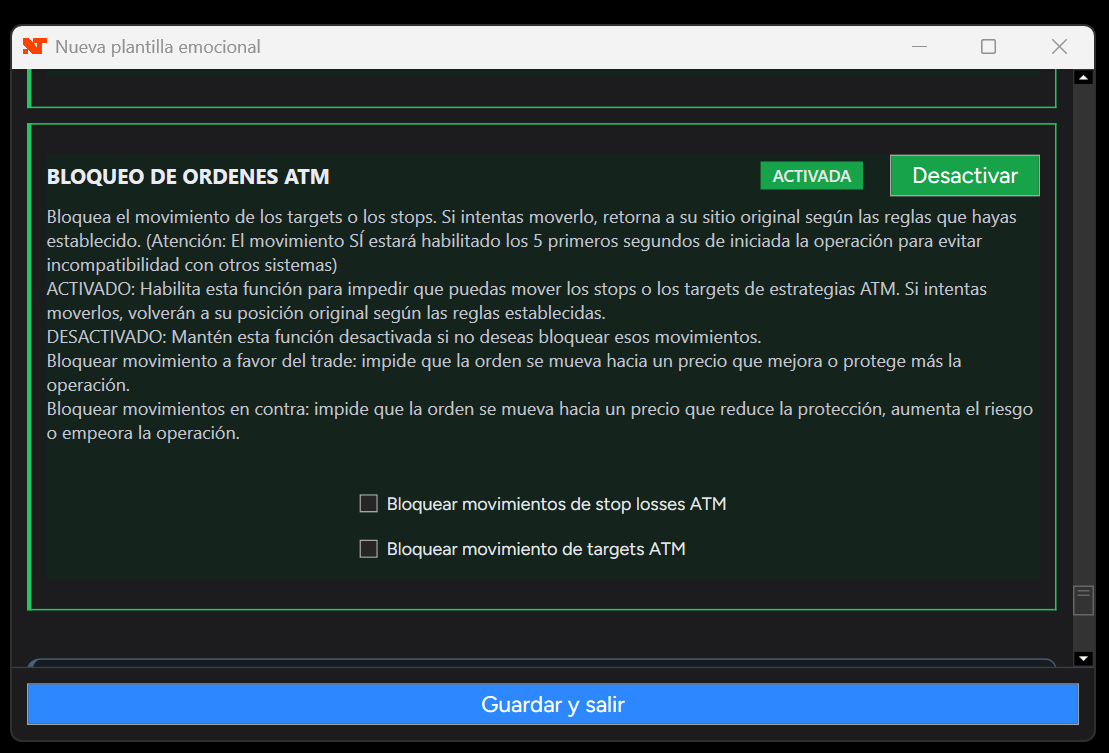
Emotional Manager for NinjaTrader 8 - Image 4 - Greater ATM order protection: You can lock the movement of stops, targets or both, and decide whether you want to prevent movements in favor of the trade, movements against the trade, or both types of movement. The first 5 seconds remain available to prevent incompatibilities with systems that need to initially place or adjust the orders.
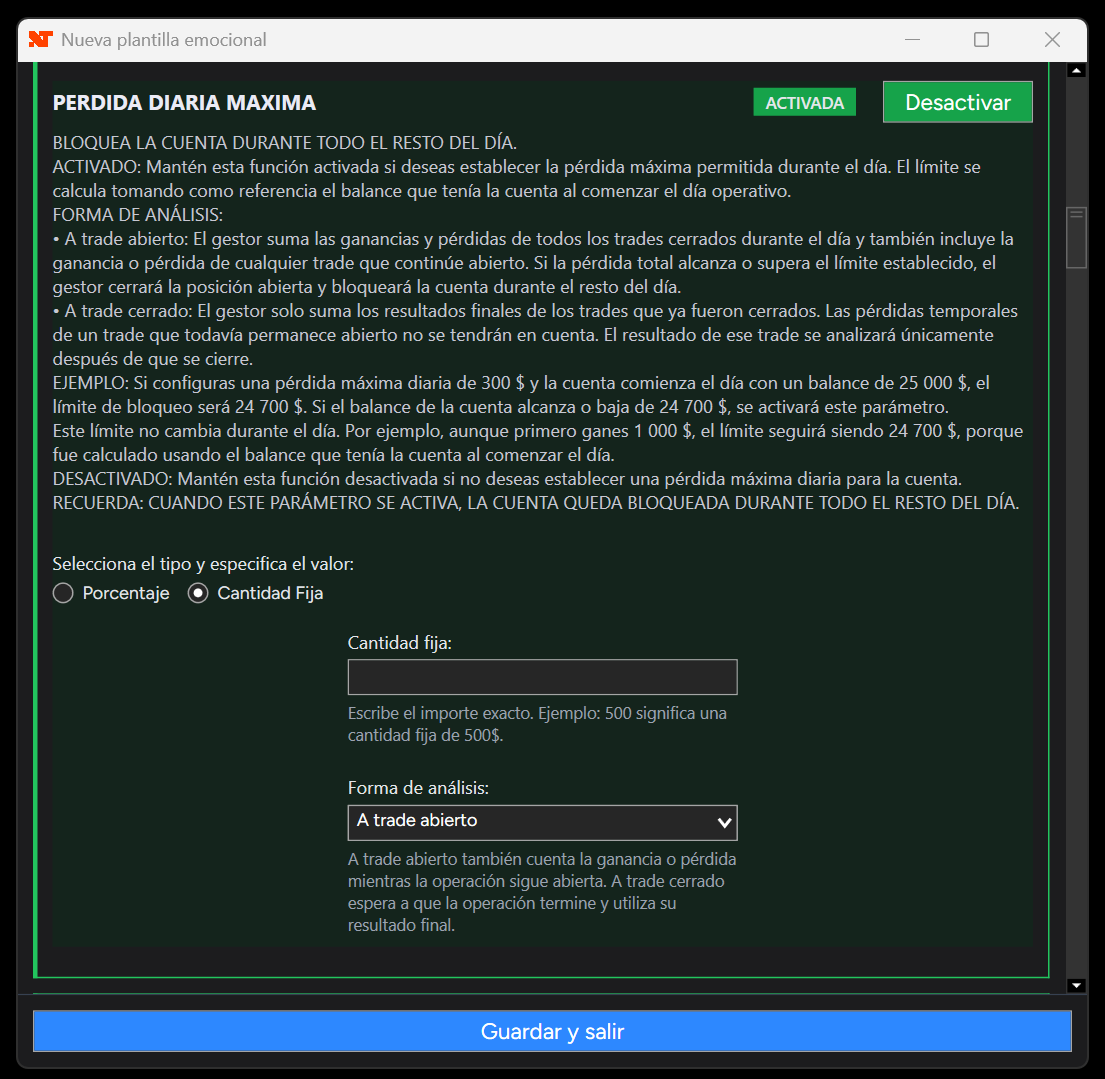
Emotional Manager for NinjaTrader 8 - Image 13
If you would like more information about how the parameters work, use the following link: Click here to see more details about the parameters available in the Emotional Manager
2️⃣ Immediate lock when you break a rule
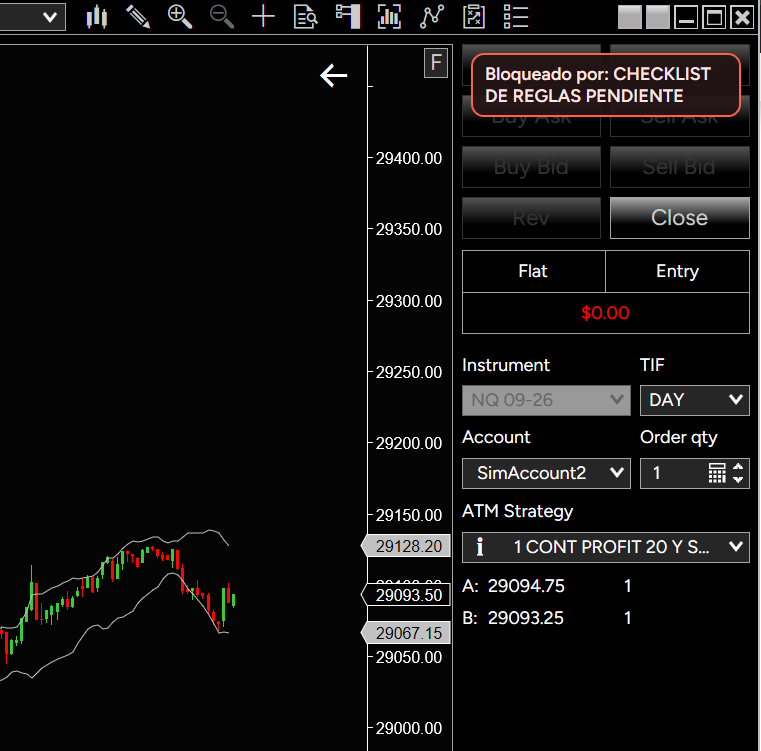
If you break any of your rules, the Emotional Manager for NinjaTrader 8 automatically blocks the ability to trade in the account. That account will remain locked until the next trading day. In other words, the Emotional Manager will automatically re-enable trading at 6 PM New York time (the time when a new trading day begins in the markets).
The exact duration of the lock will depend on the parameter that was triggered. Daily rules and the preventive lock can keep the account locked until the next trading day; weekly rules can lock it for the remainder of the week; the maximum loss or profit per trade and the contract limit lock it for 1 minute; and the post-loss or post-win wait times use the number of minutes you have configured.
If you have several accounts, the lock will affect only the account that broke the rules. It will not affect the others.
When a rule requires a position to be closed, the Emotional Manager executes the closure 1 second after detecting the violation. This small margin helps prevent conflicts with other closing elements, such as a Stop Loss, Take Profit or a broker rule.
- Daily / preventive
- Next trading day, 6 PM New York
- Weekly
- Remainder of the trading week
- Per trade / contracts
- 1 minute
- After loss / after profit
- Configured minutes
Protection for accounts that do not yet have a template
When you add a new account, there is a risk that you may forget to link a template to it and end up trading without protection. For this reason, the Emotional Manager can display a warning and also includes an option to automatically lock live or funded accounts that do not have a linked template. The account will remain locked until a template has been selected for it.
Preventive manual lock
It is not always necessary to wait until you break a rule. If you have already completed your plan and decide that you do not want to continue trading for the rest of the day, you can voluntarily lock an account until the next trading day. This function helps you end the day with discipline before the temptation to trade again appears.
Clear information about each account
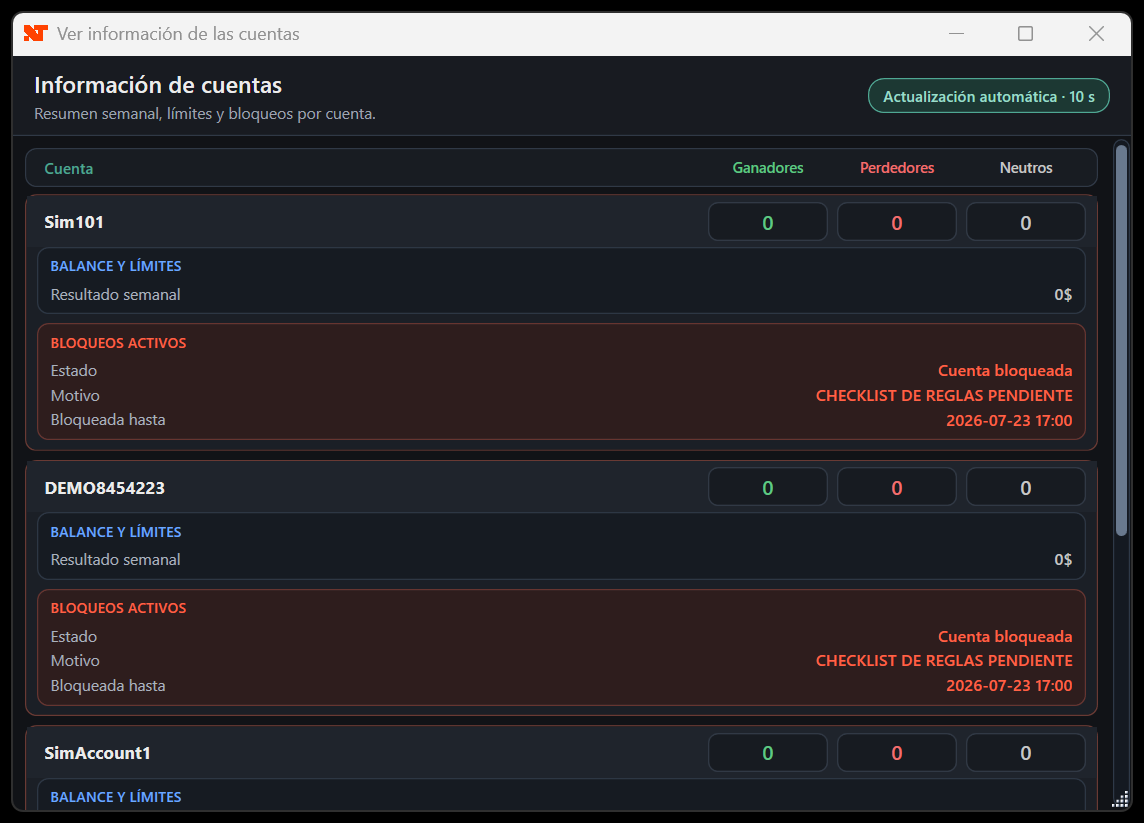
The Emotional Manager includes an information section where you can view the winning, losing and breakeven trades for each account, the reason for a lock, the time until which it will remain locked, and data related to any daily, weekly and dynamic limits you have configured. In addition, the main screen displays the day’s relevant news, mainly related to USD and EUR, together with its New York time and impact level.
3️⃣ The templates and their parameters CANNOT be modified (There is no way to modify them, not even before breaking a rule in your trading plan!)
Once you have configured your Emotional Manager and are ready to protect your accounts, you must “Start protection.” Once protection has started, you will NO longer be able to change the template configuration. This prevents you from editing the rules of your trading plan with the intention of continuing to trade.
Other emotional management tools allow you to change the configuration of the established rules while they have not yet been broken. This makes these management tools useless, since traders who are close to breaking their rules can change their parameters or even turn off their management tool to continue trading.This will NOT happen with BRUNO MEZA’s Emotional Manager! The templates and their configuration CANNOT be modified during operating hours and, depending on the user’s choice, they may not even be modifiable outside operating hours (more information about this if you continue reading).
4️⃣ Default unlocking and parameter editing methods
Our priority is to protect you from those moments of impulsiveness. For this reason, certain filters are imposed to ensure that you will not unlock the Emotional Manager while in a poor emotional state. The default unlocking methods for editing parameters are SIMPLE, but they can be made even more restrictive if the user chooses to configure them that way. You will find more information about the higher restriction level in the following sections. First, we will discuss the simple default unlocking methods.
Simple default unlocking methods
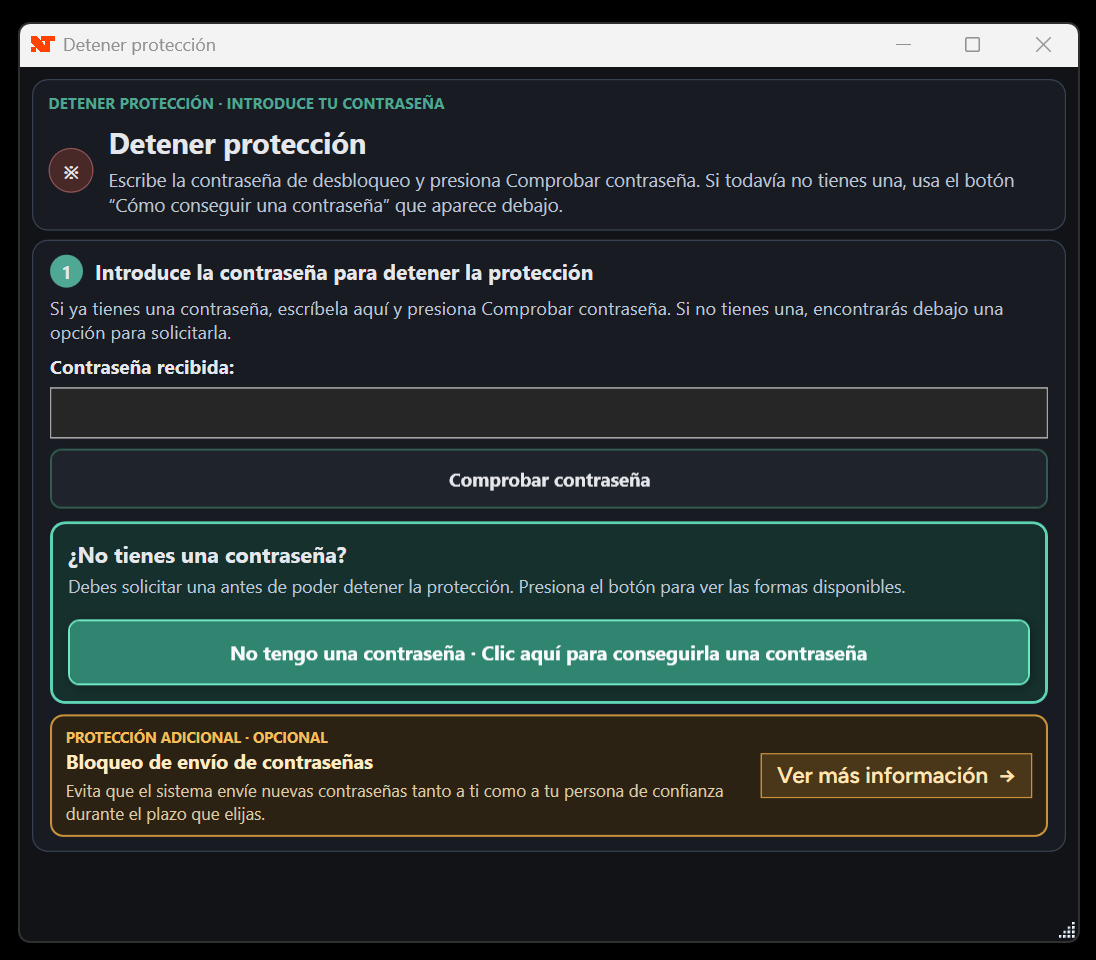
The Emotional Manager is unlocked using a password that is sent to your email and can only be used under circumstances that ensure the Emotional Manager will NOT be unlocked with the intention of continuing to trade. There are 2 types of passwords:
- Self-managed password: You receive the password at your personal email address, and it is valid only for that day. You do not need to configure this email address, since the email used to make the purchase is used automatically. However, you can only use it from 4:50 PM to 6 PM New York time, throughout the day on Saturdays, and on Sundays until 6 PM New York time (safe periods when the market is closed). This ensures that you do not unlock it during trading hours. This unlocking method can be removed if the user chooses to do so (explained in the following sections).
- Password sent to a trusted person: The password is sent to the email address of a person you trust, who will decide whether or not to give it to you. The password will work only on that day and at any time. The trusted person is expected to act as an effective filter in determining whether it is appropriate to give you the password. If your trusted person gives you the password too easily, it is better NOT to designate them, accepting responsibility for only unlocking the Emotional Manager during the permitted hours for the self-managed password. This unlocking method can be permanently removed if the user chooses to do so (explained in the following sections).
5️⃣ NEW! Lockout on all devices for Tradovate accounts
For compatible Tradovate accounts, you can optionally activate the lockout on all devices. When activated, if the Emotional Manager locks that account because you broke a rule in your trading plan, the lock will not be limited to NinjaTrader or the computer where the Emotional Manager is installed. It will also apply to phones, other computers and other platforms from which you attempt to trade the same account.
It is available only in NinjaTrader 8.1.8.1 or later.
It can only be used with funded accounts or live accounts connected through Tradovate.
The funding company or broker must have enabled the Lockout function for that specific account. For this reason, not all Tradovate accounts are necessarily compatible
6️⃣ NEW! – Blocking password delivery. A way to further restrict unlocking (optional).
For those who prefer even greater restriction, you can enable “password delivery blocking.” As we described earlier, the default methods for unlocking BRUNO MEZA’s Emotional Manager involve sending unlocking passwords to your email address or to your trusted person’s email address (under the limitations already described). However, if you believe this method could work against you, you can activate password delivery blocking.
This will make it impossible to unlock the Emotional Manager EVEN by using the passwords explained above. This function disables the delivery of both passwords (the self-managed password and the trusted person’s password) until a future date that you choose. Because this is a very strong restriction, the maximum password delivery blocking period is 30 days. After those 30 days, you can reactivate password blocking for another 30 days indefinitely if you wish.
Remember that BRUNO MEZA’s Emotional Manager will reset the account rules and automatically unlock the accounts at the beginning of each trading day (6 PM New York time).
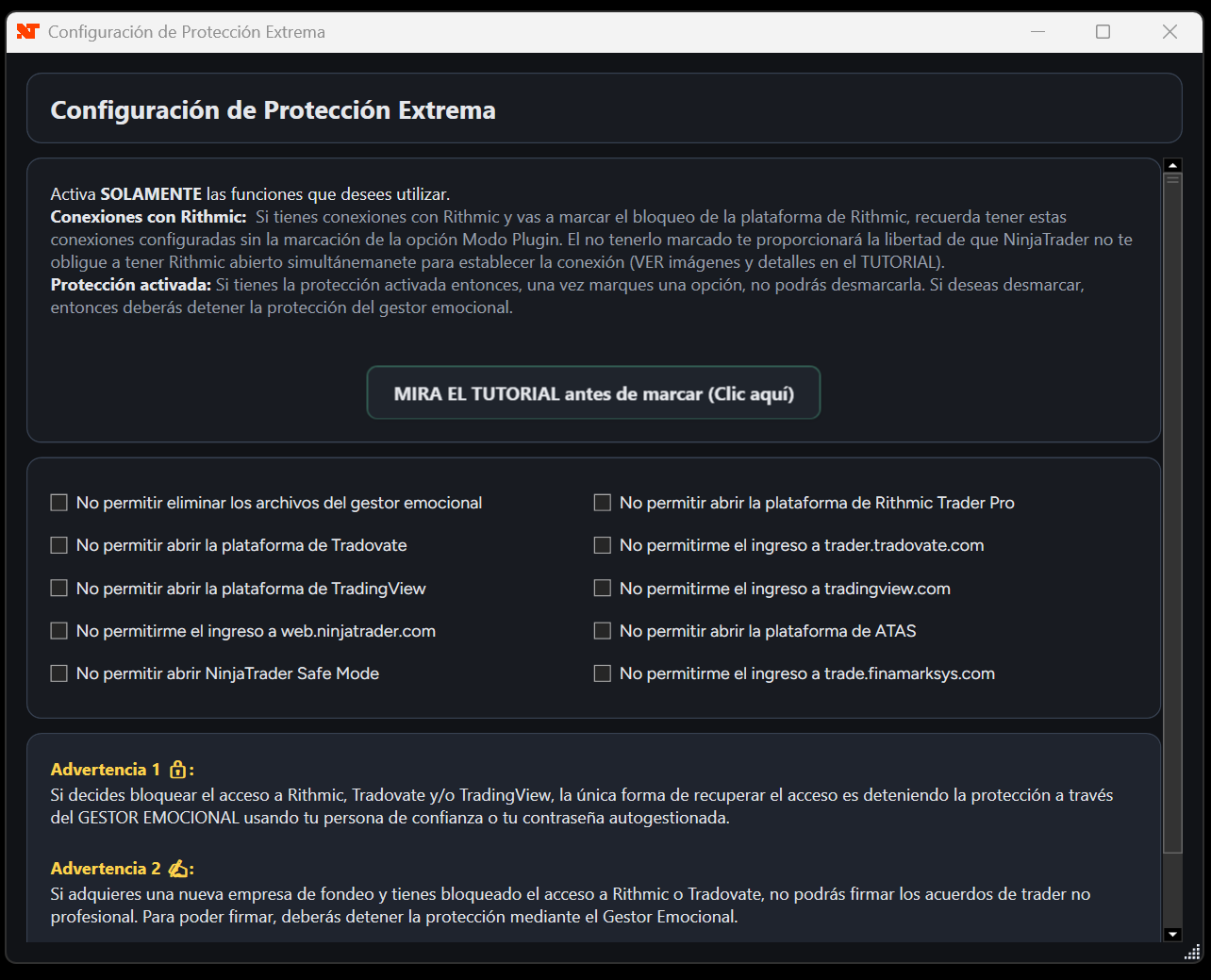
7️⃣NEW! – Extreme protection (Maximum security, zero risks) (optional)
For those with advanced technological knowledge, the Emotional Manager for NinjaTrader 8 protects them as well. We include strong security measures to:
- Prevent users from invasively uninstalling the Emotional Manager through the files.
- Prevent time manipulation intended to bypass the Emotional Manager’s trading lock.
- Prevent you from opening other platforms through which you could execute trades when NinjaTrader has already been locked (TradingView, Tradovate, ATAS, etc.).
Your trading is highly protected!
8️⃣NEW! – Instructors (optional)
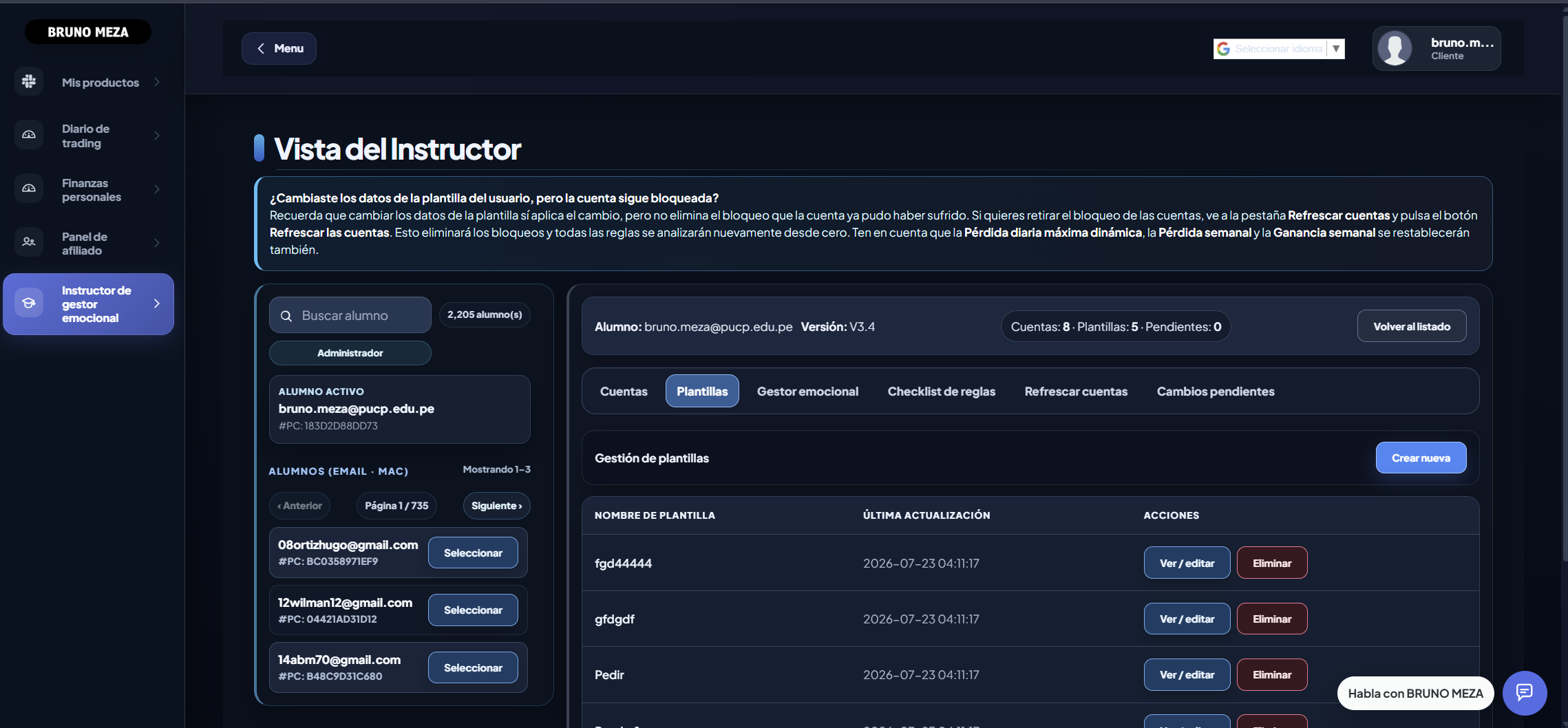
A fairly new and interesting feature is the use of instructors. If you are part of a trading academy or your trusted person has trading knowledge, you can make them your instructor. An instructor is someone who can remotely control and configure your Emotional Manager through a web platform.
What it is for
Some people, when they need to make a change, unlock their Emotional Manager (according to the configured restrictions) and then NEVER “Start protection” again, whether because of overconfidence, greed or simply carelessness.
The purpose of the instructor is to keep the “lock” of the Emotional Manager out of the user’s reach: if the user needs to modify something, they ask the instructor to do it remotely. This prevents the user from unlocking their Emotional Manager and never locking it again.
Additionally
The instructor not only has remote control of the person’s Emotional Manager, but can also view important information, such as which accounts are locked and the corresponding reason.
In addition, the instructor can remotely modify authorized rules without the user having to stop protection or request a password. This allows the Emotional Manager to remain active while the changes remain under the supervision of an external person.
9️⃣NEW! – Use the same license on several personal computers
The current version allows the Emotional Manager to be installed on several personal computers linked to the same license. This function is ideal if you have more than one computer from which you might open NinjaTrader.
Only one computer will operate as the primary computer and will be authorized to trade. The others will remain as secondary computers and will be locked while another primary computer is active. Therefore, you can switch between your different personal computers, but you can never trade from more than one of them at the same time using a single license.
When you transfer protection to another linked computer, the system automatically retrieves the shared information from the previous computer, including accounts, templates, rules, lockouts and configurations. This allows you to continue using the Emotional Manager without having to configure it again from scratch.
This restriction protects the license and prevents the multiple-computer system from being used to share it with other people. If you need to trade simultaneously from two or more computers, each additional computer must have its own Emotional Manager license.
🤝 Full compatibility with our account replicator
The Emotional Manager for NinjaTrader 8 is fully compatible with the account replicator by Bruno Meza. If you use our replicator from NinjaTrader 8 to NinjaTrader 8 or Sandboxie, you will enjoy seamless integration.
Other replicators, because they are not linked to the Emotional Manager, may create operational disadvantages. You are free to use other replicators as long as you are aware that you will not fully benefit from the necessary compatibility between both software programs. For more information, CLICK HERE and read this article about the DISADVANTAGES of using the Emotional Manager with other replicators.
Compatibility and terms
- The duration of each lock depends on the configured rule and is not always the same.
- A locked account does not automatically affect the others; correct templates are required.
- The limitations of protection depend on the configuration and the operating environment.
Discipline and limits
Bring more control to your trading.
Explore the features and start with the tool you need.
FREE access to Trading Journal and Personal Finance when you buy any product
You will also obtain unlimited, free access to two exclusive tools from brunomeza.com: the Trading Journal and the Personal Finance section.
Explore related tools
![NinjaTrader 8 to NinjaTrader 8 Trade Copier [Unlimited Accounts]](/assets/optimized/copier-nt8-en-01.webp)
NinjaTrader 8 to NinjaTrader 8 Trade Copier [Unlimited Accounts]
Copy trades across NinjaTrader 8 accounts with groups and per-account control.
![Bidirectional NinjaTrader 8 ↔ MetaTrader 5/4 Replicator [Unlimited Accounts]](/assets/optimized/bidirectional-en-01.webp)
Bidirectional NinjaTrader 8 ↔ MetaTrader 5/4 Replicator [Unlimited Accounts]
Copy trades between NinjaTrader 8 and MetaTrader 4/5 in either direction.
